
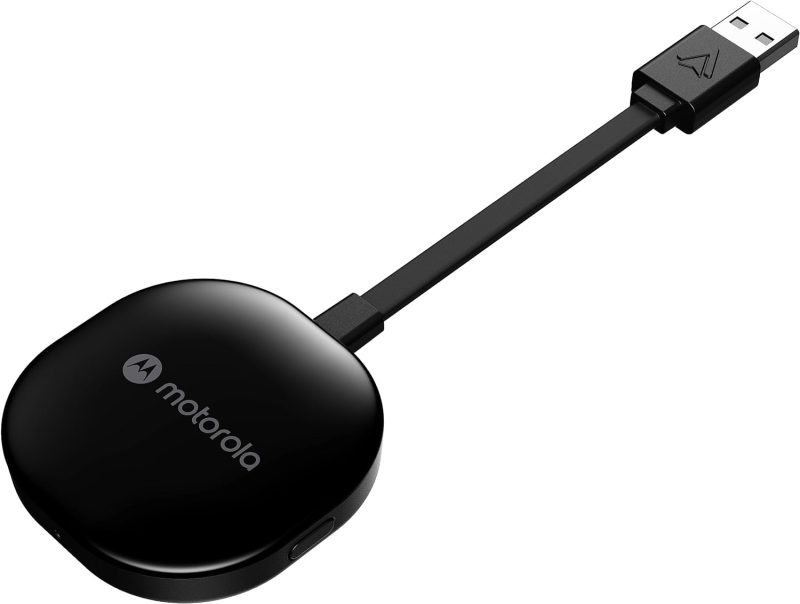
Product Features and Description
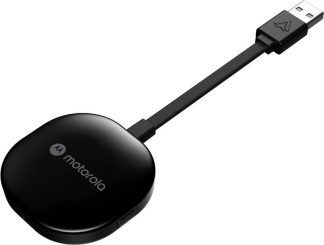
Welcome to the digital highway experience with the Motorola MA1 Wireless Android Auto Car Adapter—a nifty gadget promising to simplify the proliferating complexity of car-tech integration. This adapter serves the specific purpose of establishing an instant wireless connection between your smartphone and car screen, perfect for those everyday commutes or long-haul journeys.
Though predominantly used in daily transit, it shines equally during road trips when a secure, seamless sync of maps, music, and messages is invaluable. Surprisingly, its utility doesn’t cease there; imagine rare occasions like drive-in theaters tailored for the tech-savvy wanderer.
Stay tuned for what beckons as an engaging exploration into the Motorola MA1.
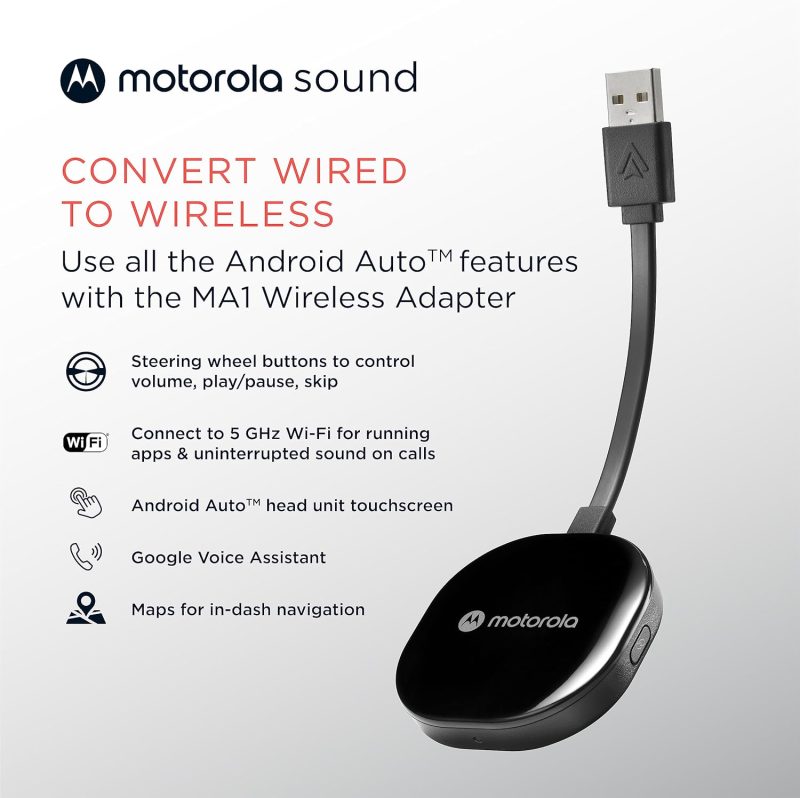
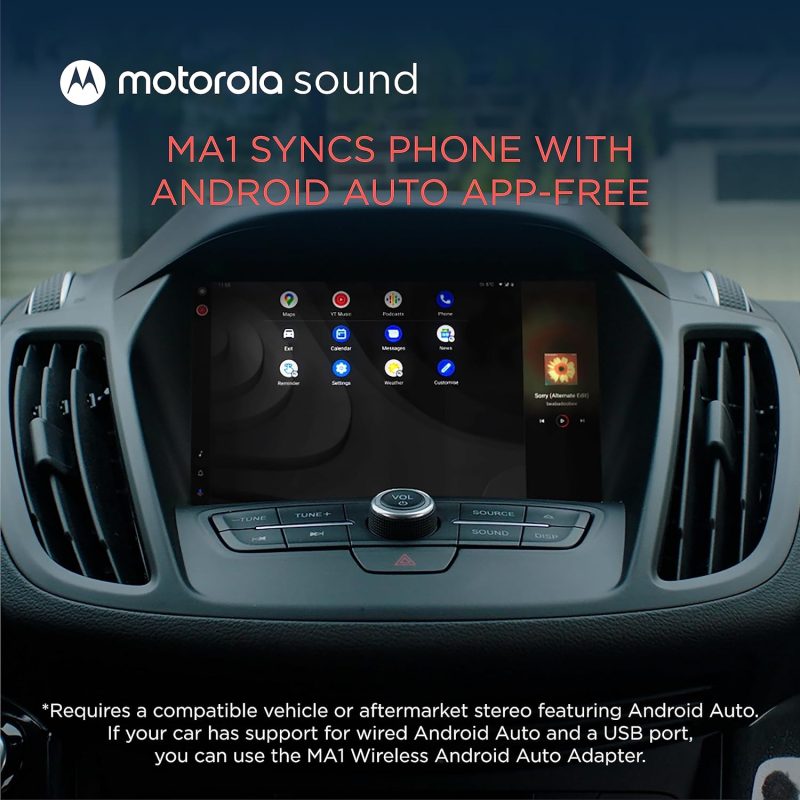
- Seamless Car Integration: The Motorola MA1 adapter offers an easy way to project your smartphone’s capabilities onto your car’s display. With a hassle-free setup, this device is compatible with any Android Auto-enabled vehicle and pairs wirelessly with a suitable Android smartphone, allowing you to utilize your phone’s features safely while driving.
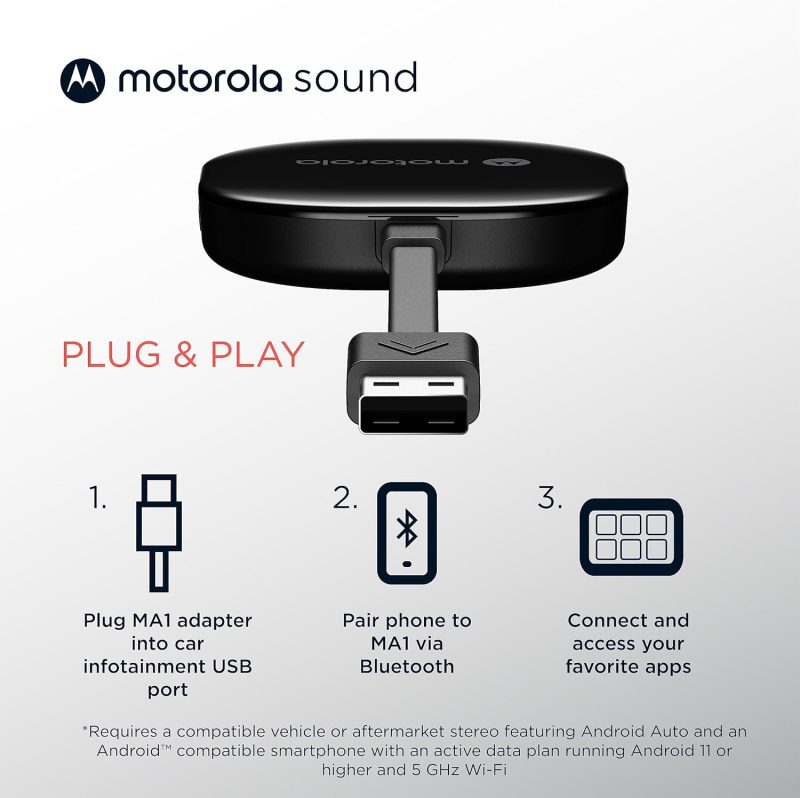
- Simple Setup Process: The user-friendly design of the Motorola MA1 ensures a quick and straightforward connection process. Simply plug the USB adapter into your car’s Android Auto port and pair it with your active Android phone to start experiencing wireless convenience on your car’s screen.
- High-Speed Wireless Connectivity: Equipped with a 5 GHz Wi-Fi connection, the Motorola MA1 adapter ensures that your favorite apps for navigation, media, and messaging are transmitted quickly and efficiently to your car’s display, perfect for seamless navigation during long road trips.
- Compact and Portable Design: The Motorola MA1 is designed with portability in mind, featuring a slim and lightweight build that’s easy to carry and doesn’t clutter your vehicle’s interior. It comes with a gel pad that secures the adapter in place, ensuring it stays fixed during your travels.
- About Motorola Sound: Motorola Sound is committed to enhancing your audio experience, whether you’re at home or on the go. Alongside products like the Motorola MA1, we offer a wide range of high-quality audio solutions, including in-ear headphones, true wireless earbuds, and over-ear headbands, all designed to deliver the exceptional sound that Motorola is known for.
For those who understand that life’s experiences are amplified by superior audio, Motorola Sound has curated a selection of products tailored to the nuances of individual listening preferences. With an expansive inventory that ranges from the convenience of wireless earbuds to the immersive experience provided by over-ear headphones, there is something to suit every audio connoisseur’s needs. Whether you’re looking for mono headsets for clear call quality or in-ear headphones for a secure fit during workouts, Motorola Sound ensures your auditory experience is unparalleled.
In the realm of car electronics, the Motorola MA1, a cutting-edge wireless Android Auto car adapter, stands out as a game-changer. It seamlessly bridges the gap between your smartphone and your vehicle’s infotainment system, allowing for effortless streaming of music, navigation, and hands-free communication. This adapter is a must-have for those who value connectivity and convenience while on the move. Furthermore, for individuals who are always on the go, Motorola Sound’s range of products is designed to integrate flawlessly with both Android and iOS devices, ensuring that your journey, whether by car or on foot, is accompanied by the highest fidelity sound.
Motorola MA1: Revolutionize Your Drive with Wireless Android Auto
| Feature | Description |
|---|---|
| Product Dimensions Average | The Motorola MA1 adapter is compact with dimensions of 3.06 x 1.22 x 0.12 inches, ensuring it does not take up much space and fits easily into your vehicle’s USB port. |
| Item Weight Good | At 1.09 ounces, the Motorola MA1 is lightweight, enhancing its portability and reducing any potential strain on the car’s USB port. |
| Best Sellers Rank Excellent | Ranked #1 in both Car In-Dash Navigation GPS Units and Vehicle GPS Units & Equipment, the Motorola MA1 demonstrates market leadership and high consumer trust. |
| Release Date Good | Available since January 4, 2022, the Motorola MA1 is relatively new to the market, suggesting that it incorporates the latest technology for wireless connectivity in vehicles. |
| Manufacturer Good | Motorola Sound is known for reliable electronics, indicating that the Motorola MA1 is likely to be a dependable choice for consumers seeking a wireless Android Auto car adapter. |









How Does the Wireless android auto car adapter Measure Up? Assessing Its Gains and Losses
Effortless and Reliable Connection: Many users, including Bill Ledbetter and TB, praise the Motorola MA1 Wireless Android Auto Car Adapter for its “Easy to install and use” capability, offering a seamless and wireless connection to the car’s display. Bill found the small size advantageous as it allowed him to “hide it in the storage compartment in the dash”, while TB was relieved to “no longer have to manually unlock my phone to use Android Auto”, finding it connected “flawlessly” every time after an initial setup.
High Compatibility and Convenience: Users like Khaled Elajam and Dave experienced consistent connectivity, with Khaled stating it “connects every single time with no drops or lag”, and Dave confirming that it “works perfectly” with multiple vehicles. This suggests the device’s compatibility with a range of car models and its reliability for maintaining a stable connection, significantly improving the driving experience by offering a cable-free solution.
Enhanced User Experience: Customers such as Danny and S. Roe found the device to significantly enhance their in-car tech interaction. Danny noted it was “well worth it for how well it works. Bulletproof!”, and S. Roe expressed delight at the convenience, stating, “It was so easy getting in the car later and voila…connected.” These experiences underline the adapter’s value in delivering a hassle-free user experience.
Connection and Durability Issues: Some users report connection stability problems and a limited lifespan. Jorge Andres Arenas describes his adapter as having turned into “just a brick” after 8 months of use, while Booger Goo experienced it “stops working after a year”. These reviews raise concerns about the device’s reliability over time and its susceptibility to connectivity issues.
Inconvenience and Compatibility Challenges: Despite the positive aspects, there are reports of the adapter not functioning as expected for all users. JR finds it “useless for drives under 15 min” due to the slow startup time, while K9dopecop points out a significant limitation, stating the device “requires VPN to be disabled”, which might be a deal-breaker for privacy-conscious users or those who rely on VPNs for work.
The stars speak of…
Opinions about this product were divided in such a proportion among the buyers.
After issues with the initial setup I was going to return it. Gave it another try glad I did. Work really well the setup take a little bite of time to get going but once it does your good. I do have an occasional and sort time issue when it losses Bluetooth connection with phone will reconnect quickly and your back a running. I would recommend that if you are going to get watch a few videos online to help with setup and be patient.
Works great when it finally connects, unfortunately i live in a small town and am at my destination 95% of the time before it finally connects…….useless for drives under 15 min.
Discover similar, top-rated products available just for you at great prices!





Understanding More: Questions Answered and Explained
What is the Motorola MA1, and how does it work?The Motorola MA1 is a wireless car adapter that allows you to connect your smartphone to your car’s display without the need for cables. It’s a direct plug-in USB adapter that uses Wi-Fi to communicate with your phone, enabling you to access Android Auto wirelessly. Once plugged into your car’s USB port, the adapter pairs with your phone, and Android Auto starts automatically when you start your car, giving you access to navigation, music, and more.
Is the adapter compatible with all cars and smartphones?The adapter is designed to work with any car that has Android Auto support and a USB port. However, it is important to note that the car must have Android Auto capabilities. As for smartphones, it works with most Android phones that support Android Auto. It is recommended to check the compatibility with your specific car model and smartphone before purchasing.
How do I set up the adapter in my car?Setting up the adapter is straightforward. You plug it into your car’s USB port designated for Android Auto, pair it with your smartphone via Wi-Fi, and follow any on-screen instructions. The device typically pairs automatically once the initial setup is done, so you don’t need to reconnect manually every time.
Does the Motorola MA1 adapter require a power source?The adapter is powered through the USB port in your car. There’s no need for an external power source or battery. As long as your car is running or the accessory mode is on, the adapter will be powered and functional.
Can I still use my car’s USB port for charging while using the adapter?While the adapter occupies the USB port it’s plugged into, it typically does not prevent you from charging your phone. Many cars have multiple USB ports, so you can use another port for charging. If there is only one port, some users opt for a USB splitter or hub to retain charging capabilities alongside the adapter’s functionality.
What happens if I receive a call while using the adapter?When you receive a call, Android Auto will handle it just like it would with a wired connection. The call interface will appear on your car’s screen, and you can answer using the car’s controls. Your music or navigation will pause or lower in volume, and resume once the call is finished.
Is there any latency or delay when using the adapter for navigation or music?The adapter is designed to offer a seamless and responsive experience. There should be minimal latency or delay when using apps for navigation or music streaming. However, the performance can be influenced by factors like the smartphone’s processing power, the car’s head unit capabilities, and the quality of the Wi-Fi connection between the adapter and the phone.
Discover similar, top-rated products available just for you at great prices!




Robert Jones –
Great addition for my Kia Telluride
Took a little longer to install than i had hoped but now that everything is in sync it works great. I carry the Samsung S23+ and installed the dongle in a 2021 Kia Telluride.
Sarah –
I wish I could leave 0 stars
This was a giant pain to get connected, then when I finally do get it connected it doesn’t STAY connected. I returned it. 🤷♀️
Dennis T. Ivy Jr. –
Cool Product, Not Perfect
This is a really cool little dongle that works mostly as advertised. Occasionally when driving down the road, especially in areas with little to no cell reception, this thing will just disconnect itself. It usually comes back after a few seconds, but it’s odd and inconvenient. The music will also occasionally lay easy behind as well, sometimes by as much as 30 seconds. Overall though, great product. A few minor fixes and it would be 5 stars.
Walt B –
Works great with the Moto Edge +2023 and pioneer android Auto.
I have an older pioneer deck AVH 4200-nex with USB wired Android Auto. I plugged this in the radio and followed the instructions. The M1A worked great. Also some of the Moto phones will not start Android Auto unless the phone is unlocked while the phone is teathered to USB. The M1A fixed the issue.
Lin –
Easiest way to add Android Auto Wireless.
Simple plug, connect to BT and it just works. None of the worry of 3rd party manufacturers and the QA lottery.
Art –
Very easy to use
Simply plug in and connect via Bluetooth
Reinaldo –
Works well, connects quickly
This Android Auto wireless adapter works as advertised. It connects quickly. I can’t tell that I am connecting to another device. Wish it had an on/off switch.
Paul Yergeau –
Works great with sony aftermarket android auto head unit
Works great with sony aftermarket android auto head unit and an android phone. Its so nice to not have to worry about the cable disconnecting you just get in the car and its connected!
Devin Dozier –
Works great! All functions works as well 👍
Works great!!! Bought one for my other car. Everything works with this device! google voice, maps, talk to text and steering wheel controls!! Connection time (startup) is a little slow at first but it’s to be expected. 25 seconds and you’re ready to go!!
ashfoot –
When it worked, it was great
Edit: The company contacted me and gave me a refund. I’ve upgraded the rating (from 2 stars to 3) due to the fact that the device did work great when it wanted to and for the great customer service from Motorola Sound! Thank you! Original Review: Bought this in September 2023 and it was great for the longest time, until I went on a road trip. Came into the city of Billings, MT and no matter where I went, the wireless adaptor constantly disconnected and reconnected multiple times. It was useless, especially when I really needed to use navigation to get anywhere. As soon as I left Billings and headed back home towards Oregon, the adaptor would work about 85 to 90 percent of the time. I noticed that before or after driving under a utility wire, I’d get disconnects or blips in my music, suggesting that it was related to electronic waves. I even started noticing it happening much more in my home town. There is no way to adjust the wireless settings on this device so I started looking elsewhere. In comes AAWireless. I’ve had it over a week now and it’s been flawless (so far, about 300 driving miles). The biggest difference is you can adjust which frequency the device works on. Once you get it off “auto” and give it a dedicated number, I haven’t experienced any disconnects or blips in connection. Motorola needs to either update their device, add more features, or give the user the ability to manually change settings in order for me to give a higher star review. Unfortunately, I purchased it too long ago and can no longer get a refund. Learn from my mistake and prevent yourself from having a small paper weight like me.
msfin –
Easy to use!
For whatever reason, my 2023 Ford Bronco Sport doesn’t automatically connect and has to be plugged in to use Android auto. This gadget gets rid of the need to plug in each time I want my phone to connect. Easy setup. Never have lost connection.
clpoulsen007 –
Cuts out when driving
Cuts out when driving around town
Edward –
Works every time
Takes about 30 seconds to connect to Android phone, works flawlessly after connection. No more need for manual connection. Great value for the convenience
Daniel S. –
Funcional
Cumple con su cometido que es solo ser el puente de enlace al vehículo, pero pierde una estrella porque suele presentar desconexiones.
Jen –
Worked for a year
This worked great for a year and then stopped connecting. I’ve tried resetting & every idea I have found online and in FB groups. Still can’t get it to reconnect
Justin Schultz –
Works well
This works well in my 2018 F150. I have had to reset the unit once. But, that could have also been a truck or phone issue. I recommend this.
Joseph K –
It Works
Bye bye Bluelink, hello Android auto
Carmen Baltodano –
Love it..when it works
It never really worked the way it promised.. Always well almost always had to do set up steps.. that stop working and stop connecting. Trying a 2nd one out,, wish me luck.
Teresa –
Work good only for 2 weeks
It’s nice product, but only for 2 weeks. My screen keep locking up and I can’t control anything on my radio screen.
J. McFarland –
Works but not great disconnects often
Overall not worth the money. Wired android auto is far more reliable. This device adds time for AA to startup and seems to make my phone very laggy. So much so sometimes calls do not connect when answered or the person on the other end cannot hear me and I cannot hear them over the car speakers. Have tried multiple phones with the same mixed results. Sometimes works great and sometimes causes missed or dropped calls. Since I do not use AA all the time and normally just take calls and audio over Bluetooth (which works 100% reliably with my uconnect system) will be returning. Having the AA connect up when getting in the car for Google maps is nice but I can connect a cable for the cases when I need those on my FCA uconnect screen. Missing work or personal calls is not good and causes more headaches than its worth.
Wfelegi –
Disconnection
So this product was working well until a few days ago when it randomly shut down on me. I would drive, and maybe after 15min, the device would restart. I tried troubleshooting multiple ways, and it is still an issue. So overall, it was great at first but not so much. I am currently looking for a different adapter as we speak.
Karen K –
Easy as pie!
Quick delivery. Set up only took a minute. Quick connect to Android Auto this morning.
Ignacio Gravina –
Installed on chevy cruze 2018 Mylink 2 radio
Really quickly to install and pair. – Unpair all devices from mylink 2 radio – Connect the MA1 – Pair Smartphone with MA1 only using bluetooth (Name could be “androidauto_332” try to not confuse with the car. – Wait a few seconds and ready to use. Xiaomi Mi 11 Ultra was my phone
Robert Ketler –
Didn’t work well for me
It was fairly easy to install. But it wouldn’t stay connected all the time. Every so often would disconnect then reconnect
Rev. Daniel Carlson –
Works fine, but…
The back side has double-sided tape. It is horrible and doesn’t stick to anything. Other than that, does EXACTLY as advertised
Jim –
Good wireless connection
Good wireless connection to Android auto. My only issue is that I have to remember to turn off my VPN in order to use it.
James Minihane –
Works perfectly in Subaru using Pixel 6
Bought this for my wife for Christmas because she liked the wireless android auto in my truck. It connects automatically nice and quick and works without any issues so far. My only complaint is that I wish the cord was a little longer. Which is really only a preference.
Rob D. –
If failure is your game Motorola is the name
Great, small device for wireless bluetooth communication with the car. Problem is, it doesn’t work. The 1st time I plugged in, paired and was able to use this successfully. The next time I jumped in the car it connected, a little slow, but by the time I was backed out it was connected fully and working. Since then, never connected again. Paired it again, no joy. Tried several more times. What’s the point by now. So I’m sending it back.
Rami –
Great device
I had this unit for one month already and so far it is working without any issues. The phone connects to it right away and Android auto is working without any issues.
Steve bockelman –
Stopped working no support
Worked good for a few months then no response tried contacting no response cut my losses
George Kajaia –
Works like it should on my mazda cx5
Works like it should on my mazda cx5. Shame on mazda to having wireless carplay and not wireless android auto. This little device solved this problem. Reviewers are saying it stopps working after several months of use. Will update review if it does stop working. Untill then five stars.
Jeremy –
No a solid connection
Audio intermittently cuts out often, sometimes just disconnects. When it works it’s great, but that’s not often.
Danny –
I love it.
It’s so nice not having to have a phone plugged in for android auto. You turn on your car, wait about 10 seconds and you’re set!
Kevin kimbrell –
Discounts every few minutes
I bought this for the ease of use, and so I wouldn’t have to overheat my phone keeping it plugged up over charging. Tried it on a road trip and it disconnected every couple minutes. Went back to wire. Product was a disappointment from the start. Now it’s been sitting in the original box for months because I forgot to return it.
Jackson Brandwene –
DO NOT BUY
Bought this to use with my 2020 Volkswagen Tiguan and my Samsung Galaxy S23. It worked (not well) for less than a year. It would connect, but would intermittently lose connection. Now, it will not connect at all. I have tried all the troubleshooting and reset options described in the product guide and Motorola’s website. No good. Product did not work as advertised and now does not work at all in less than a year. Save your money and go with a different option. This product is junk.
Herp Derp –
6 stars out of 5
It’s the best product for wired android auto. From starting the car to the time wireless android auto on the stereo takes about 35 seconds. No lag, no stutter. Can’t recommend this enough.
Dr. John Thompson –
When my phone enters the car Android Auto activates
It did take me a bit of time to figure out how this works as I am not a techy. Once the adapter was recognized by my wife’s Honda CRV screen it has been flawless.
Mike Ermilio –
Could be much better
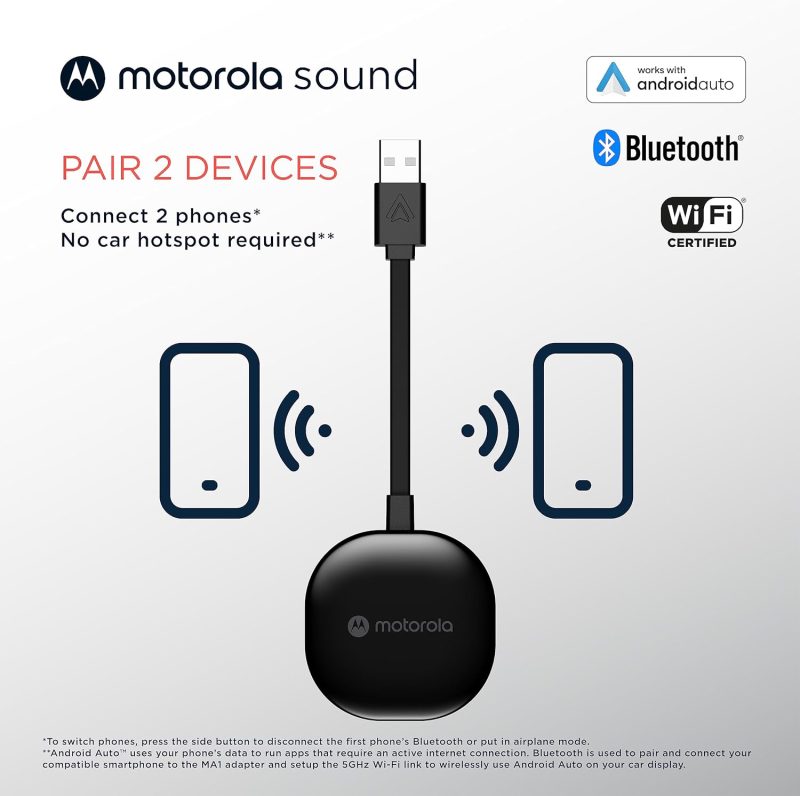
I thought I was doing something smart by plugging it directly into the headunit so it would be hidden. But unplugging and replugging to reset or reconnect a phone is a standard procedure. So my phone works fine, but my wife’s phone cannot use the headunit at all as her phone and the WiFi adapter fight for connection priority.
Mike –
It just works
It doesn’t try to be fancy. This thing just works! Absolutely worth the purchase. If I had one wish is that it booted faster, but that’s not a complaint. I have 2018 MDX.
Erick –
AWESOME!
It works like a charm!, my aftermarket stereo does not have the wireless option for android auto and witht this device I could make it possible!, I’m really happi with it, besides, it does not drain the battery of my cell phone that much. Also, it arrived to Mexico city really fast!, Motorola is a waranty of great products! 🙂
Garfield Country –
Works very well
I used this in 3 different cars and it was great! I especially liked the way it fit in the Camaro – the USB port is in the armrest box, so this was completely out of the way, and it didn’t have any RF issues – as good as the wired connection. Left the phone in the left pants pocket, so absolutely no interaction at all. AWESOME!
RMF –
Bluetooth linking problem
I have a Pixel5 phone and a 2023 Honda Ridgeline. I couldn’t link my bluetooth on my phone to Motorola Wireless Adapter for wireless Android Auto while in truck. I returned product to Amazon an got full refund.
GWhisenhunt –
Sold as new but obviously is used
Upon opening package could tell the item was used as it had scratches on it and it was obvious that even the box it came in was used. Item is sold as new, but is not.
Amazon Customer –
Works fine but no sticker. Seems like was used before
The device works fine but 1. It was unsealed 2. The sticker stripe was missing and you see on the photo that it has glue remainders. Someone used it before and tore it back
Luis cruz –
Cumple para lo que fue hecho.
Muy contento con el dispositivo gracias , working properly thanks .
Abhinav Gupta –
Frequent disconnections. Unreliable.
I experience frequent disconnections on my 2021 model car. It disconnects for 10 seconds, I get an error “Bluetooth error” and then reconnects. Quite unreliable.
SapphireScales –
Bluetooth does the same thing as this device. Dont waste your money
Bluetooth does the same thing as this device. Dont waste your money
jalison –
Funciona como se describe.
El producto funciona bien, el único pero es que la pegatina que trae no es de calidad, pero la cambias por una 3M y problema resuelto.
R Louda –
works perfectly in Outback
easy setup and connects in seconds. very happy with this wireless android auto device after other brands did not work nearly as well
Rick B. –
Ok, it works
So I ordered a cheaper product first. It was half the price. It was a complete failure. This product does exactly what it should. I only have three issues. First it comes with a very short cable. If the attached cable was a few inches longer it would be great. The second is it comes with an adhesive pad that doesn’t work. So the device just dangles loose. My third issue is occasionally it just randomly disconnects. Then after a few minutes it reconnects. Unfortunately that’s what caused me to buy it. I found that after a month or so connecting with a cable I would barely touch the cable or phone and it would disconnect for a minute or so. Fortunately this seems to only do it when the cell signal is weak. But overall I am glad to have this device bit I think it’s overpriced. A $40 price point is closer to it’s value.