
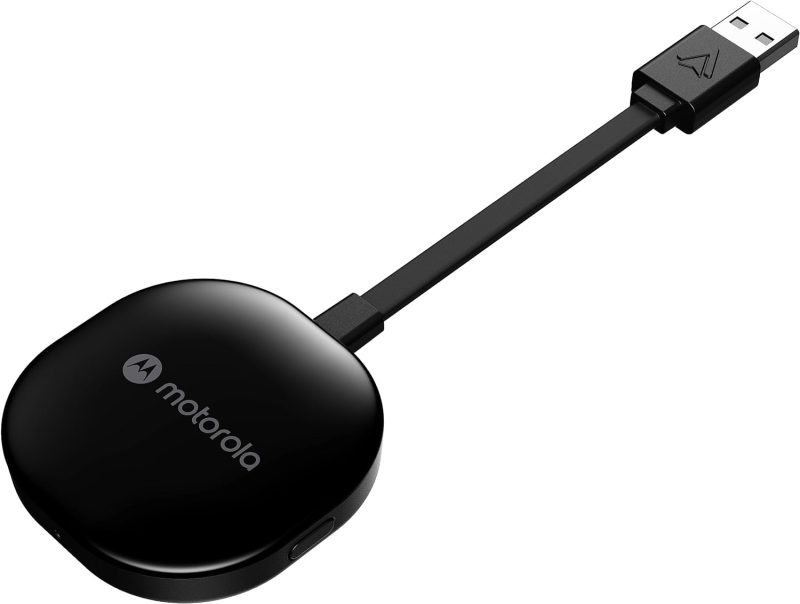
Product Features and Description
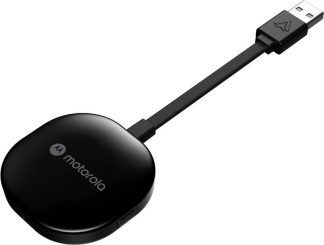
Welcome to the digital highway experience with the Motorola MA1 Wireless Android Auto Car Adapter—a nifty gadget promising to simplify the proliferating complexity of car-tech integration. This adapter serves the specific purpose of establishing an instant wireless connection between your smartphone and car screen, perfect for those everyday commutes or long-haul journeys.
Though predominantly used in daily transit, it shines equally during road trips when a secure, seamless sync of maps, music, and messages is invaluable. Surprisingly, its utility doesn’t cease there; imagine rare occasions like drive-in theaters tailored for the tech-savvy wanderer.
Stay tuned for what beckons as an engaging exploration into the Motorola MA1.
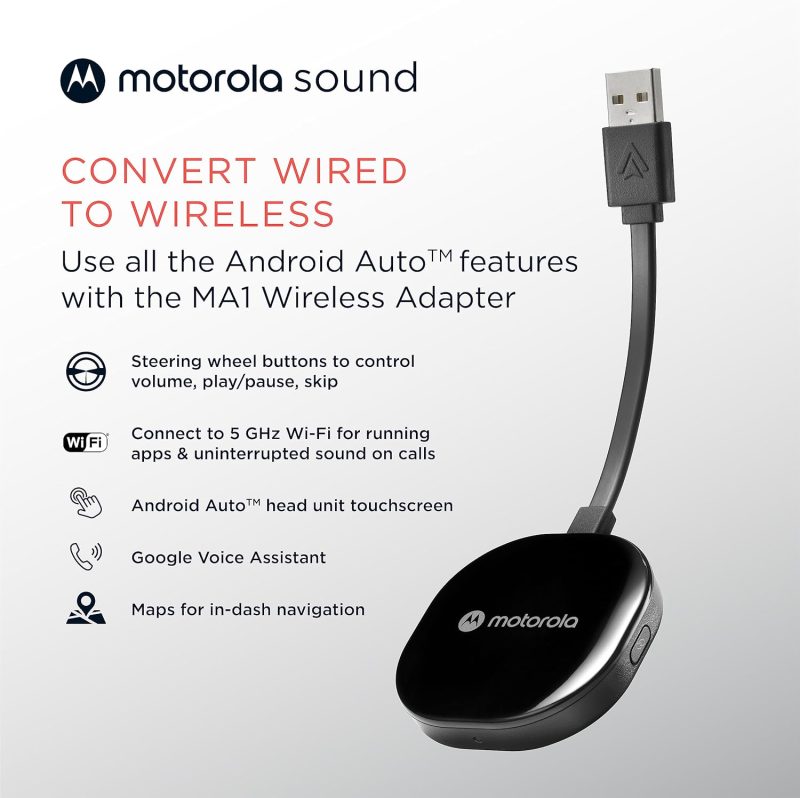
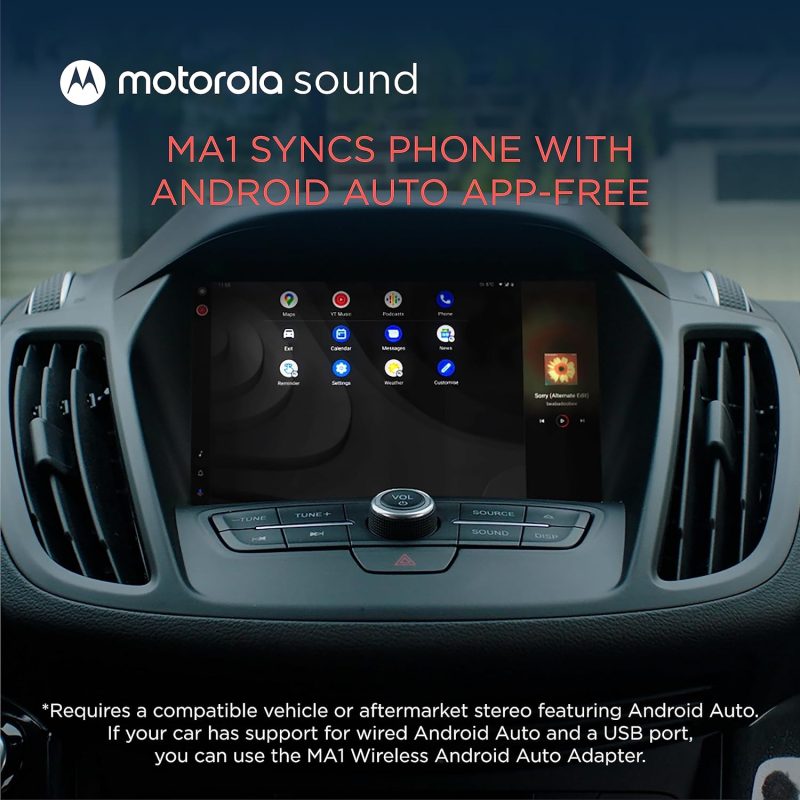
- Seamless Car Integration: The Motorola MA1 adapter offers an easy way to project your smartphone’s capabilities onto your car’s display. With a hassle-free setup, this device is compatible with any Android Auto-enabled vehicle and pairs wirelessly with a suitable Android smartphone, allowing you to utilize your phone’s features safely while driving.
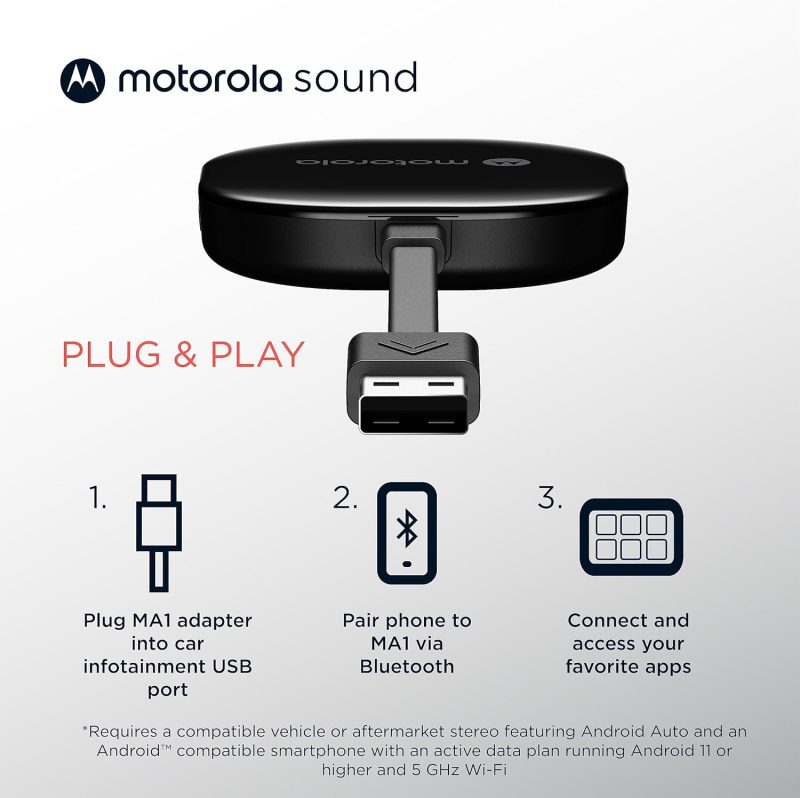
- Simple Setup Process: The user-friendly design of the Motorola MA1 ensures a quick and straightforward connection process. Simply plug the USB adapter into your car’s Android Auto port and pair it with your active Android phone to start experiencing wireless convenience on your car’s screen.
- High-Speed Wireless Connectivity: Equipped with a 5 GHz Wi-Fi connection, the Motorola MA1 adapter ensures that your favorite apps for navigation, media, and messaging are transmitted quickly and efficiently to your car’s display, perfect for seamless navigation during long road trips.
- Compact and Portable Design: The Motorola MA1 is designed with portability in mind, featuring a slim and lightweight build that’s easy to carry and doesn’t clutter your vehicle’s interior. It comes with a gel pad that secures the adapter in place, ensuring it stays fixed during your travels.
- About Motorola Sound: Motorola Sound is committed to enhancing your audio experience, whether you’re at home or on the go. Alongside products like the Motorola MA1, we offer a wide range of high-quality audio solutions, including in-ear headphones, true wireless earbuds, and over-ear headbands, all designed to deliver the exceptional sound that Motorola is known for.
For those who understand that life’s experiences are amplified by superior audio, Motorola Sound has curated a selection of products tailored to the nuances of individual listening preferences. With an expansive inventory that ranges from the convenience of wireless earbuds to the immersive experience provided by over-ear headphones, there is something to suit every audio connoisseur’s needs. Whether you’re looking for mono headsets for clear call quality or in-ear headphones for a secure fit during workouts, Motorola Sound ensures your auditory experience is unparalleled.
In the realm of car electronics, the Motorola MA1, a cutting-edge wireless Android Auto car adapter, stands out as a game-changer. It seamlessly bridges the gap between your smartphone and your vehicle’s infotainment system, allowing for effortless streaming of music, navigation, and hands-free communication. This adapter is a must-have for those who value connectivity and convenience while on the move. Furthermore, for individuals who are always on the go, Motorola Sound’s range of products is designed to integrate flawlessly with both Android and iOS devices, ensuring that your journey, whether by car or on foot, is accompanied by the highest fidelity sound.
Motorola MA1: Revolutionize Your Drive with Wireless Android Auto
| Feature | Description |
|---|---|
| Product Dimensions Average | The Motorola MA1 adapter is compact with dimensions of 3.06 x 1.22 x 0.12 inches, ensuring it does not take up much space and fits easily into your vehicle’s USB port. |
| Item Weight Good | At 1.09 ounces, the Motorola MA1 is lightweight, enhancing its portability and reducing any potential strain on the car’s USB port. |
| Best Sellers Rank Excellent | Ranked #1 in both Car In-Dash Navigation GPS Units and Vehicle GPS Units & Equipment, the Motorola MA1 demonstrates market leadership and high consumer trust. |
| Release Date Good | Available since January 4, 2022, the Motorola MA1 is relatively new to the market, suggesting that it incorporates the latest technology for wireless connectivity in vehicles. |
| Manufacturer Good | Motorola Sound is known for reliable electronics, indicating that the Motorola MA1 is likely to be a dependable choice for consumers seeking a wireless Android Auto car adapter. |









How Does the Wireless android auto car adapter Measure Up? Assessing Its Gains and Losses
Effortless and Reliable Connection: Many users, including Bill Ledbetter and TB, praise the Motorola MA1 Wireless Android Auto Car Adapter for its “Easy to install and use” capability, offering a seamless and wireless connection to the car’s display. Bill found the small size advantageous as it allowed him to “hide it in the storage compartment in the dash”, while TB was relieved to “no longer have to manually unlock my phone to use Android Auto”, finding it connected “flawlessly” every time after an initial setup.
High Compatibility and Convenience: Users like Khaled Elajam and Dave experienced consistent connectivity, with Khaled stating it “connects every single time with no drops or lag”, and Dave confirming that it “works perfectly” with multiple vehicles. This suggests the device’s compatibility with a range of car models and its reliability for maintaining a stable connection, significantly improving the driving experience by offering a cable-free solution.
Enhanced User Experience: Customers such as Danny and S. Roe found the device to significantly enhance their in-car tech interaction. Danny noted it was “well worth it for how well it works. Bulletproof!”, and S. Roe expressed delight at the convenience, stating, “It was so easy getting in the car later and voila…connected.” These experiences underline the adapter’s value in delivering a hassle-free user experience.
Connection and Durability Issues: Some users report connection stability problems and a limited lifespan. Jorge Andres Arenas describes his adapter as having turned into “just a brick” after 8 months of use, while Booger Goo experienced it “stops working after a year”. These reviews raise concerns about the device’s reliability over time and its susceptibility to connectivity issues.
Inconvenience and Compatibility Challenges: Despite the positive aspects, there are reports of the adapter not functioning as expected for all users. JR finds it “useless for drives under 15 min” due to the slow startup time, while K9dopecop points out a significant limitation, stating the device “requires VPN to be disabled”, which might be a deal-breaker for privacy-conscious users or those who rely on VPNs for work.
The stars speak of…
Opinions about this product were divided in such a proportion among the buyers.
After issues with the initial setup I was going to return it. Gave it another try glad I did. Work really well the setup take a little bite of time to get going but once it does your good. I do have an occasional and sort time issue when it losses Bluetooth connection with phone will reconnect quickly and your back a running. I would recommend that if you are going to get watch a few videos online to help with setup and be patient.
Works great when it finally connects, unfortunately i live in a small town and am at my destination 95% of the time before it finally connects…….useless for drives under 15 min.
Discover similar, top-rated products available just for you at great prices!





Understanding More: Questions Answered and Explained
What is the Motorola MA1, and how does it work?The Motorola MA1 is a wireless car adapter that allows you to connect your smartphone to your car’s display without the need for cables. It’s a direct plug-in USB adapter that uses Wi-Fi to communicate with your phone, enabling you to access Android Auto wirelessly. Once plugged into your car’s USB port, the adapter pairs with your phone, and Android Auto starts automatically when you start your car, giving you access to navigation, music, and more.
Is the adapter compatible with all cars and smartphones?The adapter is designed to work with any car that has Android Auto support and a USB port. However, it is important to note that the car must have Android Auto capabilities. As for smartphones, it works with most Android phones that support Android Auto. It is recommended to check the compatibility with your specific car model and smartphone before purchasing.
How do I set up the adapter in my car?Setting up the adapter is straightforward. You plug it into your car’s USB port designated for Android Auto, pair it with your smartphone via Wi-Fi, and follow any on-screen instructions. The device typically pairs automatically once the initial setup is done, so you don’t need to reconnect manually every time.
Does the Motorola MA1 adapter require a power source?The adapter is powered through the USB port in your car. There’s no need for an external power source or battery. As long as your car is running or the accessory mode is on, the adapter will be powered and functional.
Can I still use my car’s USB port for charging while using the adapter?While the adapter occupies the USB port it’s plugged into, it typically does not prevent you from charging your phone. Many cars have multiple USB ports, so you can use another port for charging. If there is only one port, some users opt for a USB splitter or hub to retain charging capabilities alongside the adapter’s functionality.
What happens if I receive a call while using the adapter?When you receive a call, Android Auto will handle it just like it would with a wired connection. The call interface will appear on your car’s screen, and you can answer using the car’s controls. Your music or navigation will pause or lower in volume, and resume once the call is finished.
Is there any latency or delay when using the adapter for navigation or music?The adapter is designed to offer a seamless and responsive experience. There should be minimal latency or delay when using apps for navigation or music streaming. However, the performance can be influenced by factors like the smartphone’s processing power, the car’s head unit capabilities, and the quality of the Wi-Fi connection between the adapter and the phone.
Discover similar, top-rated products available just for you at great prices!




Anna Aldridge –
Finally got to try my MA1
Finally got to use mine Galaxy A15 5G one heck of a phone with wireless charging and a ton of Gigs of memory anyhow this is the cable cutter for sure. Thanks Amazon
Patrick N. –
Works great
I was prepared for spending some time to get this to work. Did not need the time as it connected seemlessly and works beautifully. Car is a 2018 Volvo.
NyBookseller –
keeps disconnecting
I really wanted to like this product but it just keeps disconnecting from my Pixel 7. I use it in my Subaru Outback 2022. Seemingly at random, it will disconnect after 5 min or 30 min or 90 min. It will connect after 30 sec but it is extremely annoying.
James G –
Doesn’t last
Only worked for a couple weeks. Now doesn’t connect to radio at all.
L. Russell –
Worked great until it quit.
Motorola MA1 worked well with my Android phone (Moto G Power 2021). Right up until it quit. I’ve tried to reconnect but no joy. Waste of nearly $100 bucks. Went back to using wire.
NomDePlume –
Works really well in a Kia Sorento 2017
I had some doubts, it seemed too easy, but to my surprise… it was really easy, it makes using Android Auto so much nicer and easier, I don’t even have to think about it, sit and drive! Also I was expecting my phone to get really hot and battery drained in no time, having to send all that data, but no, not even! And to top it off, I can now, when needed, charge it on a good charger, vs the barely enough charge, the car USB was giving while connected to Android Auto.. Very happy with the purchase.
Jared Ross –
Does not work as advertised
I have a 2020 GMC Sierra 1500, I plugged in the adapter, connected it to my phone and that is all it would do. The truck couldn’t see my phone (Samsung S23 Ultra) and even though it paired with my phone, the bluetooth would never connect and turn on to connect to the truck. After multiple tries, every usb port available, and removing/repairing with my phone I gave up. Motorola’s website and directions were pretty useless.
Jason –
Died after just over 1 year
This was the best thing that ever thinged! Until… it wasn’t. Sadly after just over 1 year my MA1 is no longer functioning correctly. It disconnects itself after a few minutes from my phone and nothing I do with resetting, re-pairing, etc fixes it. I have ordered a new one and will offer this one to the land fill.
Ken L. –
Used, damaged, and defective twice in a row
The product I heard great things from, but so far Amazon and its sellers has wasted nearly a month and shipped me 2 clearly open box, used and damaged items. when the listing is for a new item.
Brandon Barnard –
Worked alright for 5 months
Was fine and did what it needed to do for a short amount of time. Conveniently past the window where I can return or receive support. Now it’s an expensive paperweight.
Yankee Sierra –
Broke just outside of the 1yr warranty period
Purchased on Jan/5/2023, broke on Jan/13/2024. I tried resetting everything, and still nothing. I can still use AA with the USB cable, so it’s definitely not the car or the phone.
Deborah B. –
I really was hoping that it worked, but it did not.
Unfortunately, this device didn’t work on my 2018 Toyota Camry XLE. Toyota discontinued their on screen navigation system (GPS Scout & Entune) and I wanted to be able to mirror my Samsung S21 phone to my multimedia radio. It would not mirror with this device, so I had to return it….Now I am back to looking at my phone screen while navigating directions, which is not cool. They did however, have excellent customer support. I emailed the company my concerns and requested to speak to a live representative. A live representative promptly called me.
Greg Richardson –
Practically Plug and Play
I have a 2019 Dodge Durango and bought an AAWireless to start with. For me, it simply wouldn’t work reliably, and so I sent it back. After, again, tiring of playing with a cable to get Android Auto to work, I decided to try one last time with the Motorola MA1 since it claimed to have been developed with some type of assistance from Google. From unboxing to completing setup took only about 5 minutes at most. Since then, it has worked perfectly. Every time I get in the car, it connects to my phone without any intervention and stays connected. It doesn’t have an app, but I don’t see any need for one. It just works – highly recommended.
Logan S. –
Works great in 24′ Kia Telluride w/ Google Pixel 6
Purchased this wireless Android Auto adapter back in November 23′ and have been using it almost daily since that time in my 24′ Kia Telluride with a Google Pixel 6 phone. It was very easy to setup and connects quickly every time. No issues with losing connection at all. Would recommend.
Joshua T. –
Works PERFECT!!!
This item works exactly as described. Seemless integration with my aftermarket car radios as well as on my Harley Davidson Road Glide. I’m glad I spent the extra $$ on Motorola quality & reputation.
Marcin –
Very good Motorola MA1 Wireless Android Auto Car Adapter
Good quality, no problems at all
Genesis Gonzalez –
Works for about a week.
Works well with my Subaru Legacy with the big touch screen. But doesn’t immediately connect to my phone. This morning 1/16/24, it connected to my phone no problem. Walked into my home and it disconnected. And completely forgot about my phone. Refuses to connect to it. The dongle works for maybe a week. Make sure you test it out before you end up keeping a defective item.
Matt –
Connection drops frequently
This worked pretty well for the first 6 months but now the connection to the car drops every 5 minutes or so. My phone appears to stay connected to the device, but the device loses it’s connection to the car. I gave up and just use the car’s crappy built in maps now.
John Powe –
This product works very well
Hooked it up, it paired quickly, and then it worked from the get go. The one con is the little sticky thing, doesn’t stick. Put the sticky thing on and mounted it, the next morning it was unstuck and hanging down. I put it back on, and every morning for a week I would find it hanging down and unstuck. Useless. I ended up putting Velcro tape on it, I used Velcro claiming to have “industrial” strength adhesive, and it has remained mounted, through cold and heat, no problem. THE STICKY THING IS NO GOOD. But it is a good device that works, and I would buy it again.
Peter Shanagher –
Warranty 1yr….dead after 14 months
For the first 14 months of ownership I loved the device. It did everything advertised. Then it died. Tried it with multiple phones, in multiple vehicles. Two months after the warranty expired it quits. It’s replacement will not be another MA1.
Irving –
Producto no recomendado
No funciona, cable rígido y entrada usb más grande de lo normal.
Anthony –
Works as intended, but….
It worked as intended, but if you are getting it for your Jeep or Ram vehicle, or any other vehicle that keeps its USB on after you shut off the vehicle, then I would go with the AAwireless. My Jeep Wrangler keeps the USB on for 60 minutes after you turn the vehicle off so this thing stays powered on in my garage draining my phones battery because it keeps trying to connect to android auto. This also keeps me from using my home wifi. I tried to contact Motorola through various channels to see if they have a fix for this to no avail. Kept getting robo messages that didn’t do anything and the one person I did get did not seem to want to help. The AAwireless has an app that automatically turns theirs off after you shut down your vehicle so I returned the Motorola for that.
Hugo Aguilar –
Great device which worked for about 12 months and died
I was reluctant to buy this overpriced motorola adapter vs some Chinese brand adapter for half the price. I chose quality over price, unfortunately, this Moto device turned out to be worse than a Chinse brand and died in 11 months of light use. Save the hussle and just buy a cheaper device assuming it will only last for so long, but at least you wont be charged as much.
erok210 –
I never knew I could do this! Wireless Android Auto.
I’m a person who likes things that work as expected. This was the case. I have a 2020 Subaru Outback and hate where the USB connection is located. I read a web post about connecting wirelessly that mentioned this device. It worked flawlessly. Now, I don’t have to plug in every time I get into the car, which is more convenient and puts less stress on my USB-C port on my Pixel 7a. I love this!
J. Carlos Fox –
Actually works!
Bought 2 of these for 2017 GM Volts. Work like a charm. Connection is seamless and quick. I previously bought something on AliExpress that was junk.
Brian in Dallas –
Great 80% of the time!
I’ve had mine for a year and 5 months now. Most of the time it works great!! However, I do have a couple problems: 1) There are certain parts of town – I assume with heavy 5Ghz traffic – that I can count on it disconnecting, and it takes a while to reconnect. It’s like clockwork in these areas, it disconnects every time. Annoying when I know where I’m going, but beyond frustrating when I’m on the highway and am depending on GPS. 2) The Google assistant volume (when she’s speaking) is way too low, and I’ve found no way to successfully increase it. I tried turning the volume up when she’s talking; I tried speaking to her “increase volume x%” and she confirms, but nothing changes. These are my biggest gripes, but overall I love this thing
Enrique Villegas –
It works
Work’s as described,plug it in connect and done Best part it came with instructions
Putra –
Password issue and price issue
Previously ordered it at $59, with 8 day shipping. The ninth day the Seller cancelled the order claiming “availability” even though I was able to reorder it the same day at $65. It came in two days. That was annoying. Read the setup instructions. If it is asking for the wifi password, retry the install but connect to the device’s Bluetooth first, then the WiFi. It took me a couple attempts. Now it works.
B. –
Did not work on 2020 GMC Sierra
The competitor “AAWireless” worked great.
James Brandon –
Works, eventually
I bought this because I did not like having to plug my phone in every time I got in my car for a 5 minute trip, which is most of what I do. While this device works fantastically the delay between the time the device receives power and you are using Android Auto is longer than I am generally willing to just sit in my driveway waiting on it.
AC from NJ –
MUST HAVE FOR MY 2020 INFINITI Q50 RED SPORT
Connects quickly and seamlessly to my Pixel Pro and way better than the wired connection to my phone. Dongle is connected to the Android auto port in my center console and out of sight.
michael collins –
Great but dead…
I bought this product January 3rd of 2023 and it has worked flawlessly up until a day or two ago. It’s started to cut in and out so I reset the device and reconnected and it still did that. Now it won’t connect at all and it just continues to flash different colors on the light. The reason this device is getting five stars is because the customer service was amazing. I did not have to wait on the phone at all and even though it was past its one year warranty they are still replacing it for free. If I get this one and it dies within a year I will change my five star rating to a much lower one. But when it was working, it was great and the customer service was great so as of right now it deserves a five star rating.
Gerardo D. Alva –
Good when it works
Connection drops constantly, usually after 20 minutes the connection drops over and over. When its connected it works without lag time, it usually takes about 30 seconds to a minute to connect. Looking for alternative.
Will –
Consistently blows my van’s fuse
It works as advertised in that it allows a wireless connection between my 2019 Chrysler Pacifica and my Pixel 8 Pro. It also fits pretty well despite the short cable. Unfortunately, leaving it plugged in runs the risk of my P28 fuse (the one that powers the USB port in the dashboard) to blow. It’s already happened twice this week when starting the car. It’s a real shame because it is pretty good when it works. Maybe a little slow to connect.
Chris Thell –
Not good
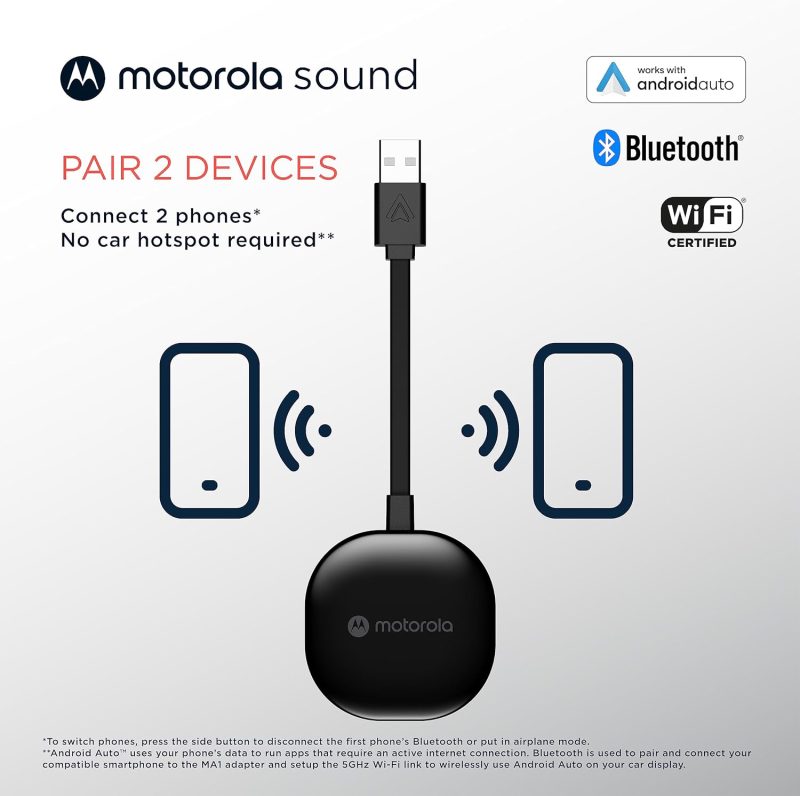
Doesn’t switch easily between phones
Dave R –
Great if your car doesnt have Wireless Android Auto
My car has android auto but not wireless android auto. I had a rental that had it and got hooked get in and go and everything connects I was like surely there is a way to make my car do this and not have to pull out my phone and plug it in every time I get in the car. This device does it and its wonderful. Now I get the benefits of Android Auto without having to plug in just like new cars do.
Pablo Gigy –
Un poco inestable.
La conexión fue sencilla. En general funciona bien, aunque por momentos se desconecta y se vuelve a conectar solo.
Pablo –
Drops Calls
I have a brand new Google Pixel 8 and Boss head unit in my car. The MA1 was very promising, especially since it has the backing of Motorola. However, it seems to have major Bluetooth issues when making calls. The caller can always hear me, but they say the sound isn’t good (choppy). And the incoming sound will randomly get dropped and then complete silence until the call ends or you reconnect things. Contacted Motorola chat support. They said no way to do a firmware update and suggested to try and resetting it. I’m returning the item. Don’t care to be their QC tester. 🙁
Brian D. –
ALMOST lasted a year
It was working just fine and was loving it up until it died while driving. It was working flawlessly. I searched everywhere online and found a lot of users on Reddit were experiencing the same issue. Factory reset did not work. I contacted Motorola and they are shipping me a new one for free.
rk –
Great concept, just doesn’t work consistently
Works fine for a while but will randomly disconnect. Usually it will reconnect but not always. Pretty annoying for a product that wasn’t exactly cheap. Directions and troubleshooting are very limited so not much help. BTW the directions use wireless and bluetooth interchangeably. The adapter uses bluetooth even though the instructions aren’t clear.
George RT –
Works great
Was easy to add to the car…if you read directions! Car MUST be running to connect!!
Kenji I. –
Stopped working after a month or so, here’s how to factory reset
My dongle has been pretty unreliable, and initially it stopped working after a month or so. Even after resetting, it regularly disconnects during my drive. I can’t tell whether the usb connection with the car is loose, or this dongle’s wireless connection is brittle. This dongle doesn’t reset sometimes following the instructions while connected to a vehicle. So here’s how to actually reset it: Supply power only to this unit. You can do this by plugging it into a laptop usb port, wall usb plug or battery bank. Don’t leave it plugged into the car. Hold the connect button down which will start to blink blue, then it will blink red, keep holding, after 20 seconds / 40 blinks, it will go yellow, then it will flash fast yellow, then blink red, then it’ll go solid white. That is when you can let go of the button and then replug the adapter into the vehicle. Then go to your phone’s android auto settings and forget this device, and then remove it from previously connected bluetooth devices. Then try connecting again. I can only hope they’ve updated the firmware to make it a bit more reliable, but unfortunately it’s not user-upgradeable so I’m stuck with this mess.
Mayor –
Stops working
Stops working and I always have issues connecting.
Jordan Cross –
Glitchy
Doesn’t work most of the time. Half the time I have to reset it to connect or reconnect. If I’m in the car for more than 30 minutes it disconnects and I have to reset or plug my phone in. Waste of money.
S. Rubin –
Four Months of Functionality: A Tale of a Once Reliable Product Now Defunct
I purchased this product with high hopes, especially given its nearly $90 price tag and the Motorola branding. Initially, the device lived up to my expectations, providing reasonable performance for about four months. During this period, there were occasional hiccups – the device would periodically disconnect from my vehicle. However, it would generally manage to reconnect within a minute or two, which was a minor inconvenience I was willing to overlook. Unfortunately, the device’s performance took a turn for the worse after the four-month mark. It now refuses to connect with my vehicle at all. Eager to resolve the issue, I scoured the internet for troubleshooting advice and tried every possible solution I could find. Despite my best efforts, the device remains non-functional – it is, in no uncertain terms, broken. Given the price point and the reputation of the manufacturer, I expected this device to last significantly longer. Its premature failure is disappointing, to say the least. My experience with this product leads me to recommend potential buyers to consider other options. The reliability of this device does not seem to justify its cost, and there may be more durable alternatives available on the market.
Dustin –
Android Auto
Works just as described! Very easy to use, no complaints!
Blue Sky –
This adapter has been working great for me.
I have never had a problem syncing the car to my phone within seconds. It just works.
pfictionfan4life –
Set it and forget it 2020 Mustang + S21 Ultra
Not every drive, but once in a while the audio will stutter after a few minutes of streaming music. It only lasts a few seconds and it always resolves itself. – It’s a great little device that sits in my center console, and let’s me either keep my phone in my pocket or quick-charge it as necessary. – Great little device A++
Amanda W***** –
Could not connect it
I received an item that has been previously used and returned. I could not get it to connect.
JohnR. –
Works Flawlessly
Installed two of these so far. One in a 2022 Tacoma and the other in a 2018 Civic. Both set up within a couple of minutes and have been working flawlessly. In the Civic it’s actually working better than the wired connection. With a wired set up it’d drop connection at least once on a 1 hour trip. Tried several different phones and cables but the problem persisted. With this unit we’ve yet to have it happen. If I don’t plug my phone in to charge I lose about 10% of my phone’s charge on my 1 hour commute. I have installed a Magsafe case on my phone and charger in my truck so I can wirelessly charge the phone. I definitely recommend this unit.