
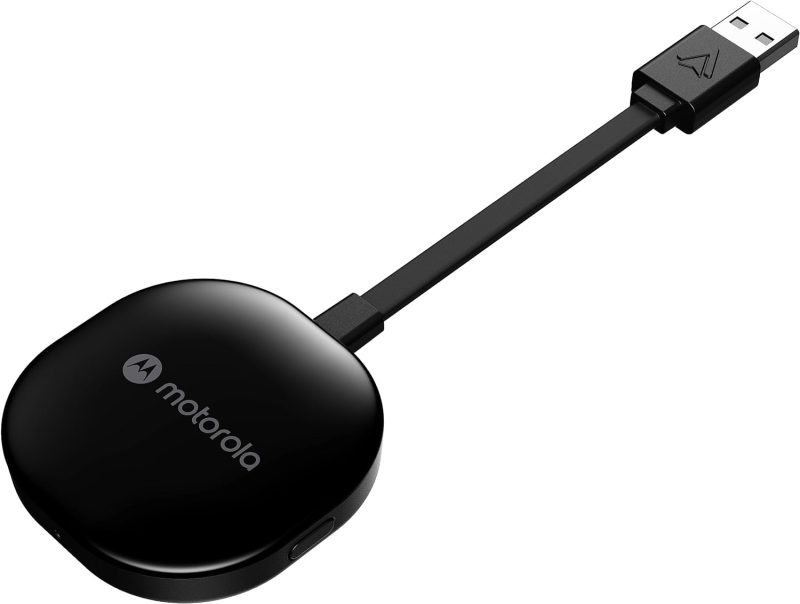
Product Features and Description
Welcome to the digital highway experience with the Motorola MA1 Wireless Android Auto Car Adapter—a nifty gadget promising to simplify the proliferating complexity of car-tech integration. This adapter serves the specific purpose of establishing an instant wireless connection between your smartphone and car screen, perfect for those everyday commutes or long-haul journeys.
Though predominantly used in daily transit, it shines equally during road trips when a secure, seamless sync of maps, music, and messages is invaluable. Surprisingly, its utility doesn’t cease there; imagine rare occasions like drive-in theaters tailored for the tech-savvy wanderer.
Stay tuned for what beckons as an engaging exploration into the Motorola MA1.
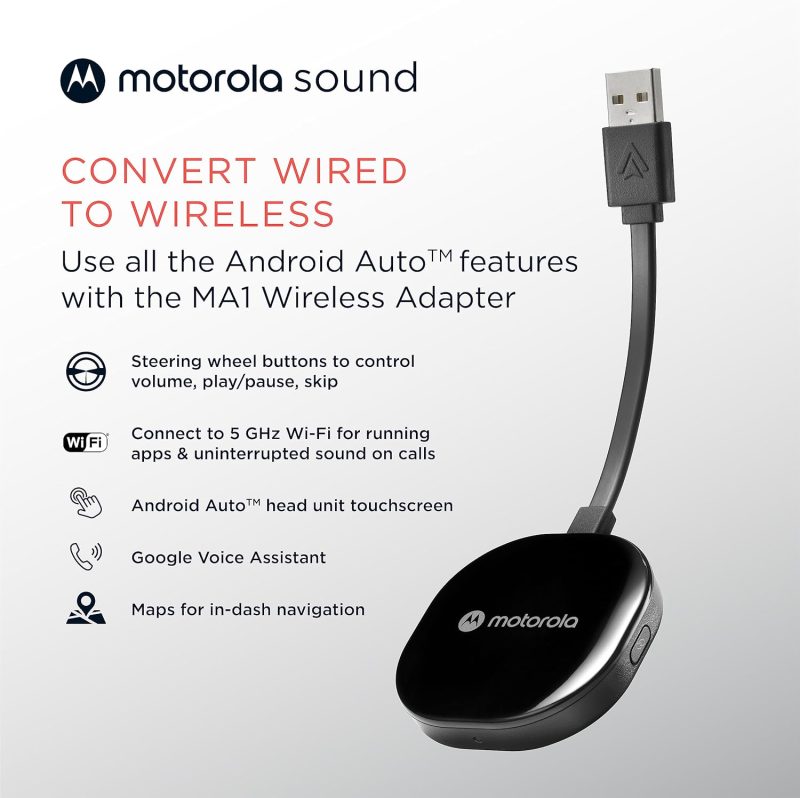
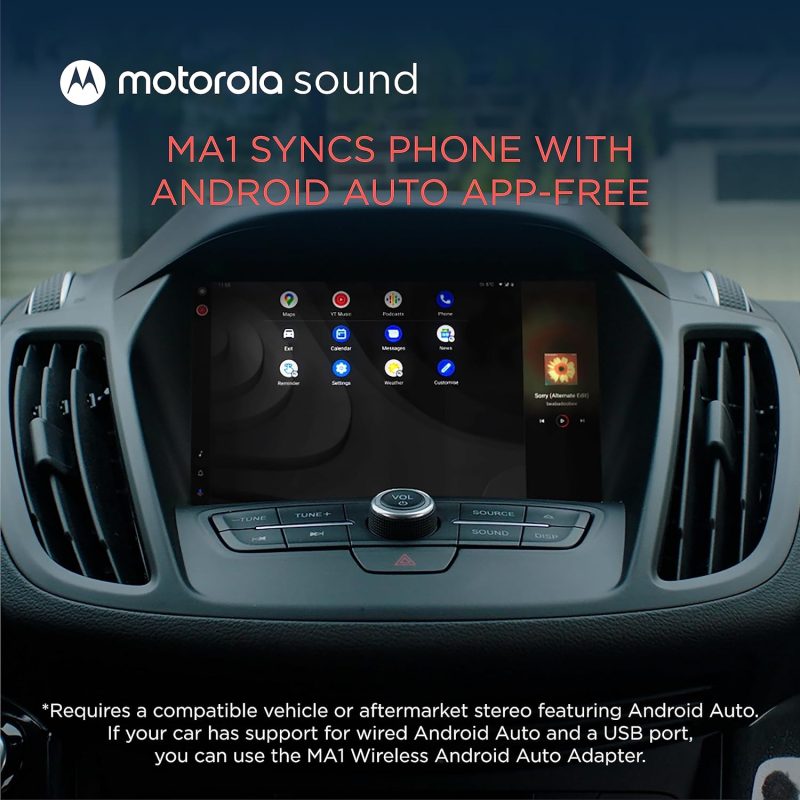
- Seamless Car Integration: The Motorola MA1 adapter offers an easy way to project your smartphone’s capabilities onto your car’s display. With a hassle-free setup, this device is compatible with any Android Auto-enabled vehicle and pairs wirelessly with a suitable Android smartphone, allowing you to utilize your phone’s features safely while driving.
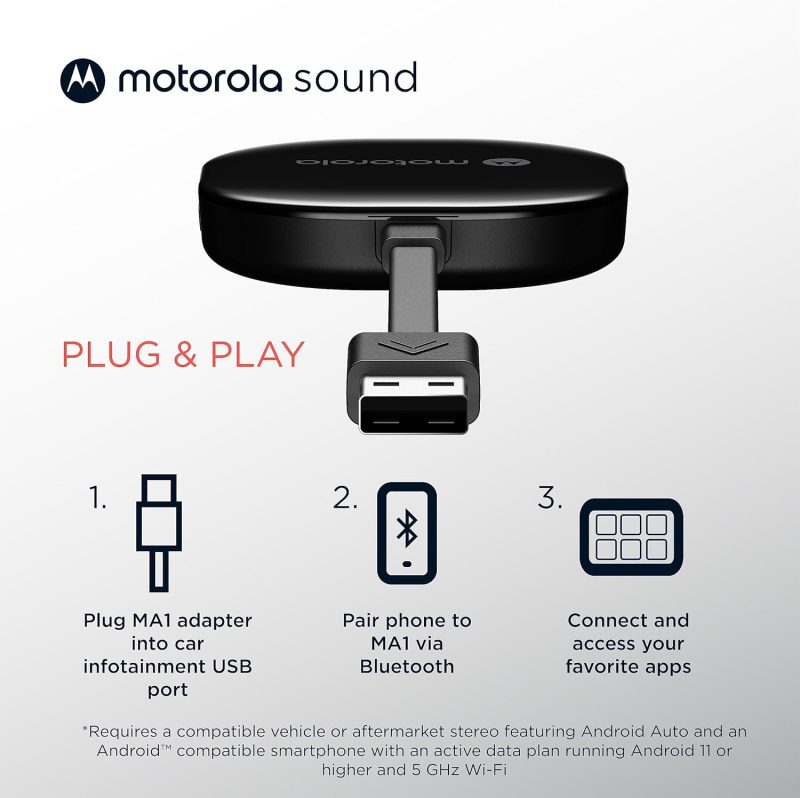
- Simple Setup Process: The user-friendly design of the Motorola MA1 ensures a quick and straightforward connection process. Simply plug the USB adapter into your car’s Android Auto port and pair it with your active Android phone to start experiencing wireless convenience on your car’s screen.
- High-Speed Wireless Connectivity: Equipped with a 5 GHz Wi-Fi connection, the Motorola MA1 adapter ensures that your favorite apps for navigation, media, and messaging are transmitted quickly and efficiently to your car’s display, perfect for seamless navigation during long road trips.
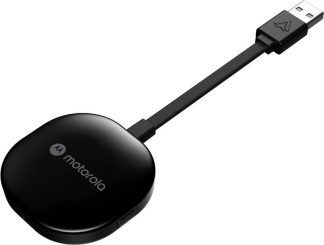
- Compact and Portable Design: The Motorola MA1 is designed with portability in mind, featuring a slim and lightweight build that’s easy to carry and doesn’t clutter your vehicle’s interior. It comes with a gel pad that secures the adapter in place, ensuring it stays fixed during your travels.
- About Motorola Sound: Motorola Sound is committed to enhancing your audio experience, whether you’re at home or on the go. Alongside products like the Motorola MA1, we offer a wide range of high-quality audio solutions, including in-ear headphones, true wireless earbuds, and over-ear headbands, all designed to deliver the exceptional sound that Motorola is known for.
For those who understand that life’s experiences are amplified by superior audio, Motorola Sound has curated a selection of products tailored to the nuances of individual listening preferences. With an expansive inventory that ranges from the convenience of wireless earbuds to the immersive experience provided by over-ear headphones, there is something to suit every audio connoisseur’s needs. Whether you’re looking for mono headsets for clear call quality or in-ear headphones for a secure fit during workouts, Motorola Sound ensures your auditory experience is unparalleled.
In the realm of car electronics, the Motorola MA1, a cutting-edge wireless Android Auto car adapter, stands out as a game-changer. It seamlessly bridges the gap between your smartphone and your vehicle’s infotainment system, allowing for effortless streaming of music, navigation, and hands-free communication. This adapter is a must-have for those who value connectivity and convenience while on the move. Furthermore, for individuals who are always on the go, Motorola Sound’s range of products is designed to integrate flawlessly with both Android and iOS devices, ensuring that your journey, whether by car or on foot, is accompanied by the highest fidelity sound.
Motorola MA1: Revolutionize Your Drive with Wireless Android Auto
| Feature | Description |
|---|---|
| Product Dimensions Average | The Motorola MA1 adapter is compact with dimensions of 3.06 x 1.22 x 0.12 inches, ensuring it does not take up much space and fits easily into your vehicle’s USB port. |
| Item Weight Good | At 1.09 ounces, the Motorola MA1 is lightweight, enhancing its portability and reducing any potential strain on the car’s USB port. |
| Best Sellers Rank Excellent | Ranked #1 in both Car In-Dash Navigation GPS Units and Vehicle GPS Units & Equipment, the Motorola MA1 demonstrates market leadership and high consumer trust. |
| Release Date Good | Available since January 4, 2022, the Motorola MA1 is relatively new to the market, suggesting that it incorporates the latest technology for wireless connectivity in vehicles. |
| Manufacturer Good | Motorola Sound is known for reliable electronics, indicating that the Motorola MA1 is likely to be a dependable choice for consumers seeking a wireless Android Auto car adapter. |









How Does the Wireless android auto car adapter Measure Up? Assessing Its Gains and Losses
Effortless and Reliable Connection: Many users, including Bill Ledbetter and TB, praise the Motorola MA1 Wireless Android Auto Car Adapter for its “Easy to install and use” capability, offering a seamless and wireless connection to the car’s display. Bill found the small size advantageous as it allowed him to “hide it in the storage compartment in the dash”, while TB was relieved to “no longer have to manually unlock my phone to use Android Auto”, finding it connected “flawlessly” every time after an initial setup.
High Compatibility and Convenience: Users like Khaled Elajam and Dave experienced consistent connectivity, with Khaled stating it “connects every single time with no drops or lag”, and Dave confirming that it “works perfectly” with multiple vehicles. This suggests the device’s compatibility with a range of car models and its reliability for maintaining a stable connection, significantly improving the driving experience by offering a cable-free solution.
Enhanced User Experience: Customers such as Danny and S. Roe found the device to significantly enhance their in-car tech interaction. Danny noted it was “well worth it for how well it works. Bulletproof!”, and S. Roe expressed delight at the convenience, stating, “It was so easy getting in the car later and voila…connected.” These experiences underline the adapter’s value in delivering a hassle-free user experience.
Connection and Durability Issues: Some users report connection stability problems and a limited lifespan. Jorge Andres Arenas describes his adapter as having turned into “just a brick” after 8 months of use, while Booger Goo experienced it “stops working after a year”. These reviews raise concerns about the device’s reliability over time and its susceptibility to connectivity issues.
Inconvenience and Compatibility Challenges: Despite the positive aspects, there are reports of the adapter not functioning as expected for all users. JR finds it “useless for drives under 15 min” due to the slow startup time, while K9dopecop points out a significant limitation, stating the device “requires VPN to be disabled”, which might be a deal-breaker for privacy-conscious users or those who rely on VPNs for work.
The stars speak of…
Opinions about this product were divided in such a proportion among the buyers.
After issues with the initial setup I was going to return it. Gave it another try glad I did. Work really well the setup take a little bite of time to get going but once it does your good. I do have an occasional and sort time issue when it losses Bluetooth connection with phone will reconnect quickly and your back a running. I would recommend that if you are going to get watch a few videos online to help with setup and be patient.
Works great when it finally connects, unfortunately i live in a small town and am at my destination 95% of the time before it finally connects…….useless for drives under 15 min.
Discover similar, top-rated products available just for you at great prices!





Understanding More: Questions Answered and Explained
What is the Motorola MA1, and how does it work?The Motorola MA1 is a wireless car adapter that allows you to connect your smartphone to your car’s display without the need for cables. It’s a direct plug-in USB adapter that uses Wi-Fi to communicate with your phone, enabling you to access Android Auto wirelessly. Once plugged into your car’s USB port, the adapter pairs with your phone, and Android Auto starts automatically when you start your car, giving you access to navigation, music, and more.
Is the adapter compatible with all cars and smartphones?The adapter is designed to work with any car that has Android Auto support and a USB port. However, it is important to note that the car must have Android Auto capabilities. As for smartphones, it works with most Android phones that support Android Auto. It is recommended to check the compatibility with your specific car model and smartphone before purchasing.
How do I set up the adapter in my car?Setting up the adapter is straightforward. You plug it into your car’s USB port designated for Android Auto, pair it with your smartphone via Wi-Fi, and follow any on-screen instructions. The device typically pairs automatically once the initial setup is done, so you don’t need to reconnect manually every time.
Does the Motorola MA1 adapter require a power source?The adapter is powered through the USB port in your car. There’s no need for an external power source or battery. As long as your car is running or the accessory mode is on, the adapter will be powered and functional.
Can I still use my car’s USB port for charging while using the adapter?While the adapter occupies the USB port it’s plugged into, it typically does not prevent you from charging your phone. Many cars have multiple USB ports, so you can use another port for charging. If there is only one port, some users opt for a USB splitter or hub to retain charging capabilities alongside the adapter’s functionality.
What happens if I receive a call while using the adapter?When you receive a call, Android Auto will handle it just like it would with a wired connection. The call interface will appear on your car’s screen, and you can answer using the car’s controls. Your music or navigation will pause or lower in volume, and resume once the call is finished.
Is there any latency or delay when using the adapter for navigation or music?The adapter is designed to offer a seamless and responsive experience. There should be minimal latency or delay when using apps for navigation or music streaming. However, the performance can be influenced by factors like the smartphone’s processing power, the car’s head unit capabilities, and the quality of the Wi-Fi connection between the adapter and the phone.
Discover similar, top-rated products available just for you at great prices!





Aileen –
Used Item listed as New
Package was already opened and item was scratched when item was received. Had to reset item in order for it to work indicating it was already used and paired with a device previously. Item was listed as new on page and bought as new unopened.
Chris B. –
A bit glitchy, but good for the price
Overall it’s a great way to use android auto wireless in my car. Doesn’t have all the bells and whistles to watch shows. But I’m driving a vehicle, not sitting on my couch. Will occasionally cut out, especially on longer trips.
Optimistic –
damaged my software in my BMW
this didn’t work and it even messed up my BMW software that the dealer had to reinstall the sofware
Gadget Freak –
Overheats
Overheats and shuts down after running about 30 minutes. Only 7 months old
angelo pantano –
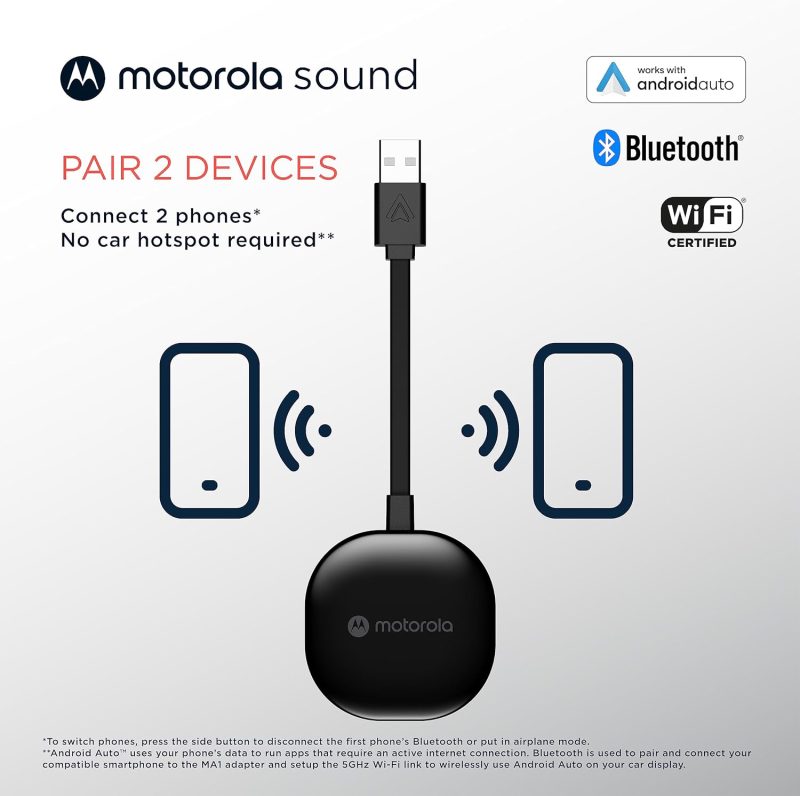
Worked fine for a bit with 2 phones
It was working fine then after a year it just stopped and would not pair more than one phone. Before I was able to swap between phones using the button on the side
José L. –
It won’t work
Seamless connection? False. No cellphone (I tried 3) will be able to connect to the adapter via Bluetooth. It pairs just fine, but it will never actually connect. Maybe I got a bad one, who knows. But I won’t order a replacement.
E. A. Lazarus –
Marvelous!
I just plugged it in and it worked! No longer need to plug phone into the car. (I always forgot and left it in the car when I stopped. Now it is always in my pocket. Absolutely no issues with the Motorola MA1. I am using it with a Galaxy S21 in a 2018 Honda. I have been using it about 10 days.
Jordan Briggs –
Plug and play
I’m so glad I finally got one of these dongles for my car. I plugged it in for the directions to set up Bluetooth and it just works. I have had a few times when my wife is in the car with me and her Bluetooth is on and it seems to get jumbled up on which phone it wants to connect to. But those are few and far between and not really a problem. It’s small and out of the way and it comes with little sticky backing so that you can stick it somewhere even more out of the way. Just be sure to clean your car and sure all the dust or whatever is gone before you try to stick it anywhere. It’s great product and I read that it’s even Google approved for Android Auto which I love. I will be recommending this to all my friends.
RYAN HARRISON –
Awsome
Connect perfectly the first time and every time after simple and easy to set up must have if your tires of the cord.
Fulltastiic –
It disconnects when I’m at certain places
The unit will disconnect itself when I’m driving and in some places…..it disconnects more than it’s stays connected
beachcomber_bill –
Effective (mostly) wireless for my head unit.
Works well, took a while/multiple attempts to connect, but it finally did. Only negative is extra lag while loading when the vehicle is started. Worth it to leave my phone in pocket while driving.
Arashi –
Easy set up
Literally 3 steps. 1)Plug your phone in start android auto. 2) Unplug phone and plug in Motorola Dongle. 3)Pair via bluetooth. I’m glad I dont have to worry about wearing out my phones USB port or interupting the connection if i accidentally bump my phone. A must buy if your car doesn’t support wireless android auto. My port is located in the armrest compartment and there is no interference with the arm rest closed.
Keith Beau Lac –
Works great with one setup issue
You need to disable your cell phones vpn for this to work, my VPN allows me to disable VPN by app so this was not a big issue. Just took a bit to figure it out and then how to disable VPN for just the android auto application.
Matthew –
Works really really well
I had purchased a different brand about a year ago that would constantly disconnect and when I got back to the car I would have to unplug it and plug it back in for it to reconnect. This bad boy just works so quick and actually stays hooked up long distances too (long range if you want it). I was hesitant to give one of these a go again but it is exactly how you would hope it would be. Galaxy S23.
CSM –
Audio cuts out every drive
I thought going with a name brand would he safe. However every 25min commute to work has once instance of skipping and cutting out. I have no other Bluetooth devices connected to my phone and it’s a brand new pixel 7a. Disappointed and I don’t know if going with another brand will be better.
Amazon Customer –
Close, but not quite
I didn’t want to end up having to return this product, yet I have just decided to. The product is a BREEZE to connect ( I have a Note 20 Ultra and drive a 21 Ram ). The cable connecting to the dongle is a little short, yet is thick and feels quality. I’ve used this dongle for under two weeks and found it’s increased its disconnection rate, which is why I’m returning it. On a 30-minute trip across town, the dongle disconnected twice. The disconnections have been random and without any apparent rhyme or reason. The dongle will reconnect, taking approximately 45-60 seconds for each disconnect. If you don’t mind connection drops, this product might be okay. If you want something with a better connection, you’ll want to keep looking for different brand as I am.
thatcompchick –
Seamless
Very quick setup. No worries about cables everywhere anymore! No more leaving phone on car.
Amazon Customer –
Great Android Auto Interface
This does a great job wirelessly connecting your Android phone to your car infotainment system. Sound quality is great. The only problem is an occasional disconnect. But it usually only takes a couple minutes to reconnect.
Amazon Customer –
Works flawlessly
Syncs right away.
Tokuzumi –
Only in use for a couple days, but it’s good not great
Update: Stopped connecting again after 2-3 connections. Going back. I had heard this was the one to get, but it barely works. And it killed the wired connection until I restarted my car. When it works, it’s great. But I’ve only connected to the device 6-7 times since I’ve had it over the last 2 days, and already it stopped connecting. Car kept trying to connect, and just wouldn’t connect to bluetooth. I was able to fix it by unpairing the device, and then redoing the setup procedure. Working now. But if this is how it’s going to be going forward, this thing is going back.
Andre McLaren –
Very nice 👌🏾
I was struggling with my android auto I had to plug in and out now I am wireless free
Jakob B Yoder –
Works with aftermarket head unit
This is soooooo much better than plugging in with a cable. I have a Kenwood DDX57 aftermarket head unit with Android Auto. This product works flawlessly! Very happy with my decision to buy.
Bill –
Great when it works.
This was my last attempt to get Android Auto to work on 2 different cars; one a Honda and the other a Kia. This adapter only worked consistently for about the first 30 mins of driving, then it would just disconnect randomly.
EC –
Beware
Needs Android 11 or higher. Will update later.
Ben Watkins –
Worked great first day, now nothing but headaches
This is the second time I have bought the Motorola MA1 adapter. The first time I used it with a Samsung Galaxy 21 FE and paired it with a Pioneer Head Unit in a 2011 Rav 4. The thing was absolute junk right outside the box and never got it to work. Purchased a 2020 Rav 4 Hybrid a couple of weeks ago and decided to try another MA1 adapter, this time paired with a Samsung Galaxy S23 Ultra. It worked right out of the box the first day and now it either has incredible lag or completely shuts off. I have made sure to disable all public wifi hotspots, unpaired and repaired my phone via Bluetooth with the Toyota head unit, etc. etc. and it’s still nothing but headaches. I consider myself pretty tech savvy as I did it for a living for quite a few years but either this model is just not that great or AA wireless is just not there yet. Either way, going to return this and try another adapter before I give up.
NOFATCHICK1 –
Headache
Was working fine in the beginning it no longer connects to the Bluetooth. I pair with my device and the light keeps blinking blue. I’ve reseted the device twice now still not pairing.
Amazon Customer –
Price and quality
Easy to use and great quality.
Aaron love –
Android Auto
Works well. Takes a minute to power up but everything works as fast as it would if my phone was plugged in.
Joel Wener –
Worked well for about 9 months
The Motorola adapter worked well for the 9 months which I used it for. After 9 months it just stopped working after heating up.
Jason B. –
Amazing
No more finiky wires.
larryzplace –
Excellent replacement for wired android auto
Tucked away in my center console… No wire to phone necessary to use android auto in my chevy truck… 2017 truck had to plug in and was a pain… No more trouble… I turn the ignition on and it connects to phone automatically… even remembers where i was in a podcast when i get back into the vehicle… Well done
curious –
Incredible! It’s more reliable than wired…
Most buy a Wireless AA adapter for convenience. I bought it to solve very frustrating repeated wired disconnects (due to a buggy Infotainment system). Frankly, I always prefer wired connections when feasible simply for reliability reasons – but incredibly, in this case the opposite proved true. Some reviews claim this unit didn’t work for them. Below I will explain why this might happen, and how to fix it. I originally bought a cheap Chinese Wireless AA adapter for convenience. That turned out to be a mistake. After an update to Android Auto, it no longer worked. What I had hoped to save me $$, ended up costing me time & money in the end. A wired connection did make me uncomfortable because the placement of my phone made the connector at the base of the phone vulnerable to inadvertent stress and breakage. So wireless is advantageous in that regard too. However, the major issue with my wired connection was frequent disconnects due to bugs in the manufacture’s Infotainment system. Often that’s due to a faulty cable or connector. But that was not the case for me. I could wiggle the cable without a problem. But there were several common triggers that would cause my AA to quit while its status would toggle ON/OFF about twice per second until I unplugged my phone and started over. I don’t know why going wireless fixed this, but it did. (For the record, I am running Android 13). Here’s why Wireless AA may not initially work for some… and how to fix it: Phones have Data Saver settings that block cellphone data when the phone is connected to a Wi-Fi network. The problem is that Google Maps and Spotify etc. need data to work. But the wireless connection to AA has no Internet access! Thus, you end up with no Wi-Fi data and no cellphone data. The solution is to find the setting in your phone that allows it to use cellphone data even when it is connected to a Wi-Fi network. One last comment: I was skeptical this Wireless AA adapter would solve my problems. But with Amazon’s 30day return policy, I was willing to take the gamble. And it paid off very nicely.
Marc Stein –
Works flawlessly.
I have ordered 3 of these from other manufacturers and they did not work properly. This one is plug in play no problem. Connect quickly and works perhighly recommend this.
James –
Won’t allow screen display for my 2020 vehicle
I paired the device via Bluetooth, had it plugged into my Android Auto port and for some reason it won’t display Android Auto on my screen. Big disappointment 😥
JOŔÉL –
Toyota Tacoma 2023 TRD-OFFROAD
Works on my Truck. With non JBL stock system.
Frank Lundeen –
I wanted to like it – but it stopped working after a week or so
I was initially delighted by this bluetooth android auto adapter – it set up easily in my 2023 Ford Maverick, my phone connected instantly each time I started up my truck, and it worked flawlessly… until it didn’t. About a week after initially installing it, the adapter would’t connect or repair to anything (despite following the troubleshooting directions of factory resetting it. I returned it to Amazon for a refund and will use the cord for my Android auto connection.
Brandt Dehn –
This is what you need to go wireless
Easy set up. No more having to take your phone out your pocket. The only negative thing I can say is the cord maybe too short for some users. An extension took care of that small issue for me.
Jordan V. Croft –
Get yourself some double-sided adhesive.
I used double sided Velcro in case it ever needs to come out but this works as described and it connects real quick too.
MARCO –
Great, when it’s working.
Pros: No wires Cons: Slow start up, wired is faster. Gets disconnected while in use. Will reconnect automatically or needs to be unplugged then plugged back.
CHurz –
Easy installation
It was the easiest setup for Bluetooth USB adapter. Took 3 minutes without an issue.
Carmen –
Product worked as intended
This product worked great but I could not use it. In order to use this, I couldn’t use the Wi-Fi in my vehicle simultaneously.
Dave –
Has worked flawlessly
Pleasantly surprised. Very easy setup and connection has not failed. I’ve had it for a week and no problems. A little pricey but worth it.
Bob C. –
Works seamlessly with my Mazda CX-30
N/A
kevin uznanski –
Way more reliable than corded AA
Corded AA was 50-50 with regular resets/reboots. This this works pretty much all the time. Had it about 2 months. My only complaints are with AA and not this device
Kenneth –
Had a connection issue by now works like a charm!
I followed other’s direction about how to connect it to your phone and then plug it into your radio. I did have some issues after installing where it would not connect and asked for a password for the WIFI network. I had to delete the auto reconnection with the old SYNC WIFI connection in my 2014 F-150 and it began working again.
Kris Higgins –
Rarely stays connected
I’ve had this now for 3 months. I started with a generic one I purchased for $30 and decided to upgrade to a name brand expecting faster connectivity. Since owning this, it has never maintained connection to my phone for more than 10 minutes at a time. I will suddenly find my music stops and my Google Maps direction freeze until the screen goes to my cars default OS. Then after a few minutes it connects back until it repeats the same cycle again. The device is less than a foot from my phone with nothing but plastic and air in between the devices.
Amber –
Stopped Working Month After Purchase
Stopped working a month or so following purchase. Can no longer return either. Waste of money. Do not buy this one.
Darla –
Disconnects frequently
This review is for the Motorola MA1. I say that because there is often different product advertised for the review. This device disconnects too frequently to be of use. I’ve tried different things and none have worked. If I find a solution, I will update this review.
David Pool –
Worked perfect for about 3 months
I really don’t have any complaints about the functionality of the device. It worked flawless for a few months, but I think the Texas heat got to it and never made it past August. If your vehicle sits out in the sun all day then you might want to reconsider.
ACHA –
Works…just doesn’t work for very long
Purchased in September 2023 and am now having issues with it connecting in November 2023. It’s nice when it works, fast to connect and easy to set up. It just doesn’t seem to last very long, at least for me. It will drop the connection occasionally and sometimes won’t be able to find Android Auto at all. Have to unplug the plug the device in multiple times, most of the time I’m already driving.