
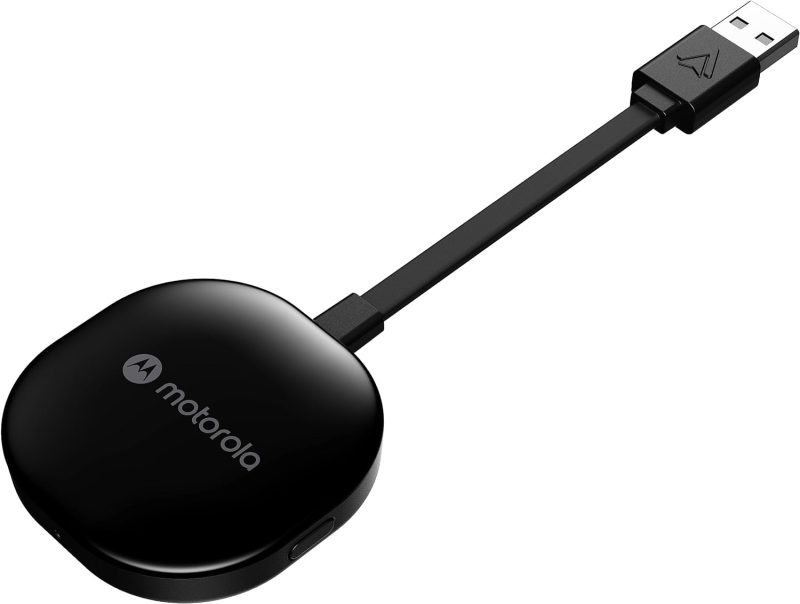
Product Features and Description
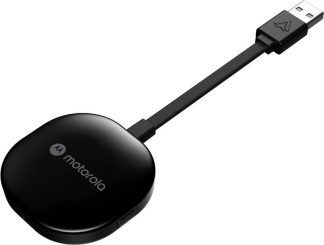
Welcome to the digital highway experience with the Motorola MA1 Wireless Android Auto Car Adapter—a nifty gadget promising to simplify the proliferating complexity of car-tech integration. This adapter serves the specific purpose of establishing an instant wireless connection between your smartphone and car screen, perfect for those everyday commutes or long-haul journeys.
Though predominantly used in daily transit, it shines equally during road trips when a secure, seamless sync of maps, music, and messages is invaluable. Surprisingly, its utility doesn’t cease there; imagine rare occasions like drive-in theaters tailored for the tech-savvy wanderer.
Stay tuned for what beckons as an engaging exploration into the Motorola MA1.
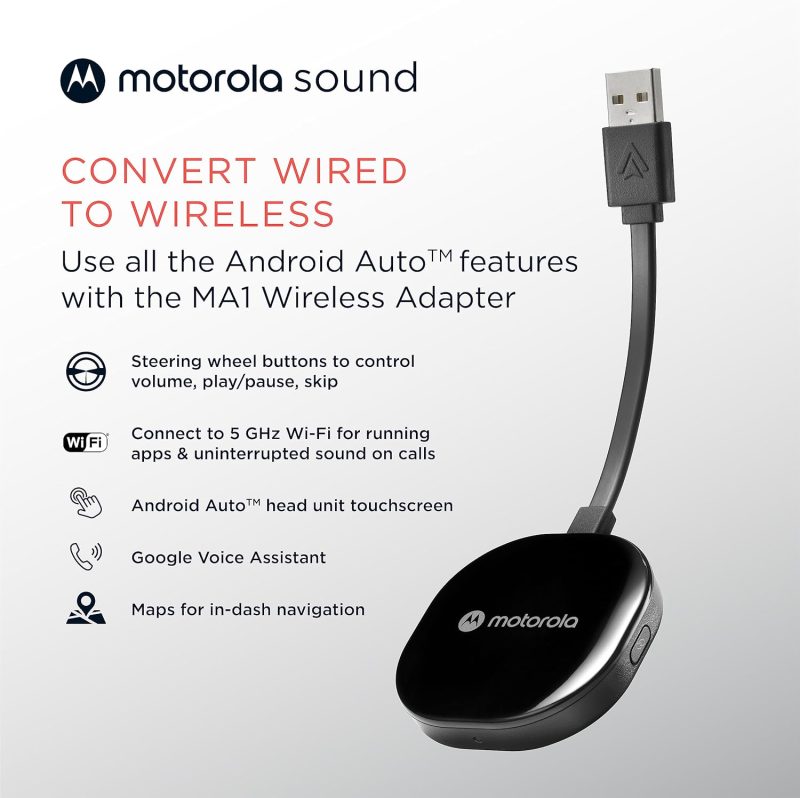
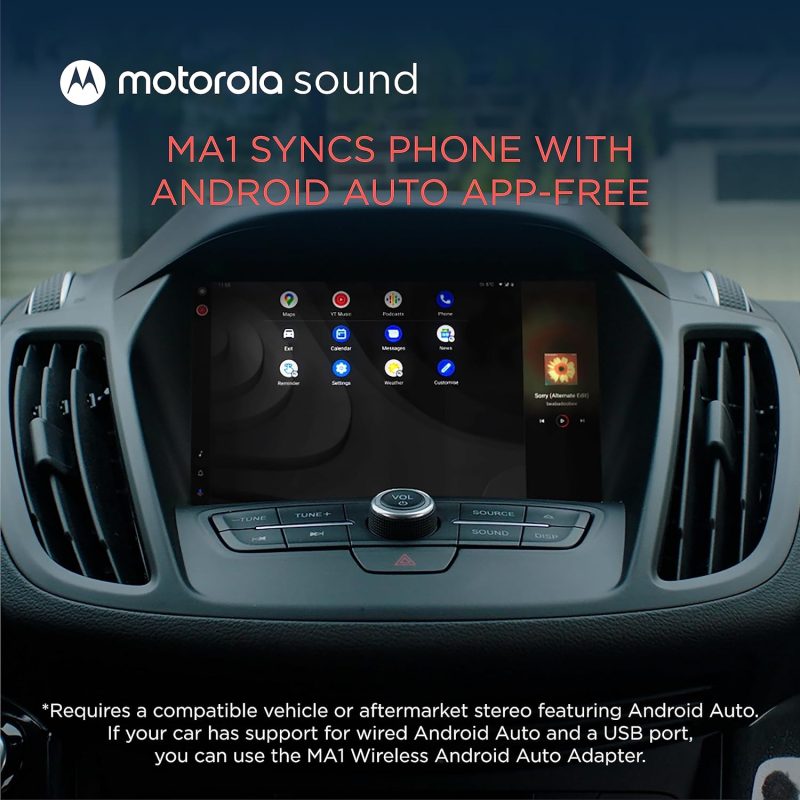
- Seamless Car Integration: The Motorola MA1 adapter offers an easy way to project your smartphone’s capabilities onto your car’s display. With a hassle-free setup, this device is compatible with any Android Auto-enabled vehicle and pairs wirelessly with a suitable Android smartphone, allowing you to utilize your phone’s features safely while driving.
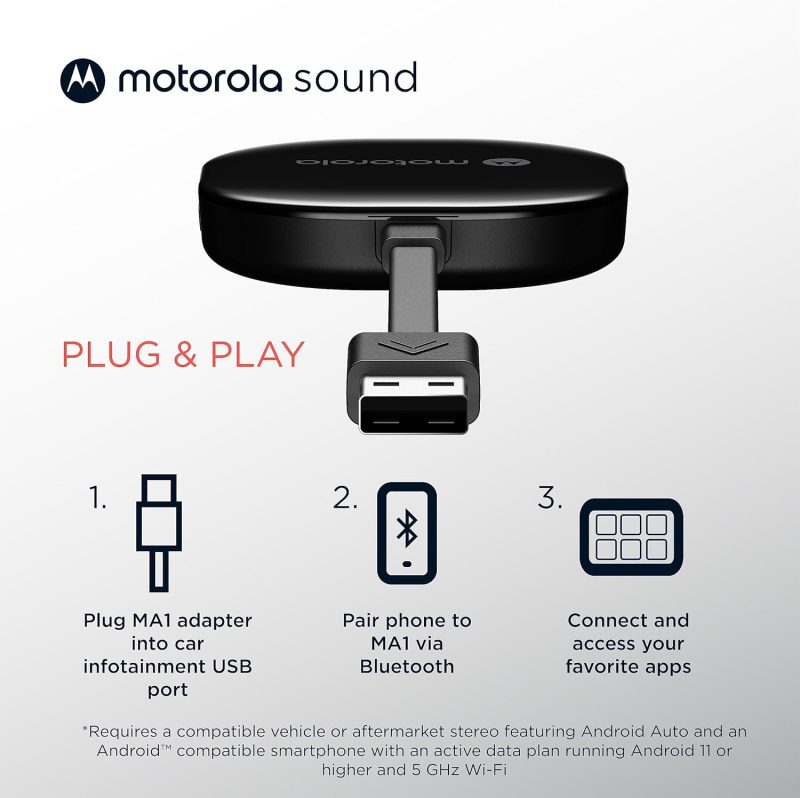
- Simple Setup Process: The user-friendly design of the Motorola MA1 ensures a quick and straightforward connection process. Simply plug the USB adapter into your car’s Android Auto port and pair it with your active Android phone to start experiencing wireless convenience on your car’s screen.
- High-Speed Wireless Connectivity: Equipped with a 5 GHz Wi-Fi connection, the Motorola MA1 adapter ensures that your favorite apps for navigation, media, and messaging are transmitted quickly and efficiently to your car’s display, perfect for seamless navigation during long road trips.
- Compact and Portable Design: The Motorola MA1 is designed with portability in mind, featuring a slim and lightweight build that’s easy to carry and doesn’t clutter your vehicle’s interior. It comes with a gel pad that secures the adapter in place, ensuring it stays fixed during your travels.
- About Motorola Sound: Motorola Sound is committed to enhancing your audio experience, whether you’re at home or on the go. Alongside products like the Motorola MA1, we offer a wide range of high-quality audio solutions, including in-ear headphones, true wireless earbuds, and over-ear headbands, all designed to deliver the exceptional sound that Motorola is known for.
For those who understand that life’s experiences are amplified by superior audio, Motorola Sound has curated a selection of products tailored to the nuances of individual listening preferences. With an expansive inventory that ranges from the convenience of wireless earbuds to the immersive experience provided by over-ear headphones, there is something to suit every audio connoisseur’s needs. Whether you’re looking for mono headsets for clear call quality or in-ear headphones for a secure fit during workouts, Motorola Sound ensures your auditory experience is unparalleled.
In the realm of car electronics, the Motorola MA1, a cutting-edge wireless Android Auto car adapter, stands out as a game-changer. It seamlessly bridges the gap between your smartphone and your vehicle’s infotainment system, allowing for effortless streaming of music, navigation, and hands-free communication. This adapter is a must-have for those who value connectivity and convenience while on the move. Furthermore, for individuals who are always on the go, Motorola Sound’s range of products is designed to integrate flawlessly with both Android and iOS devices, ensuring that your journey, whether by car or on foot, is accompanied by the highest fidelity sound.
Motorola MA1: Revolutionize Your Drive with Wireless Android Auto
| Feature | Description |
|---|---|
| Product Dimensions Average | The Motorola MA1 adapter is compact with dimensions of 3.06 x 1.22 x 0.12 inches, ensuring it does not take up much space and fits easily into your vehicle’s USB port. |
| Item Weight Good | At 1.09 ounces, the Motorola MA1 is lightweight, enhancing its portability and reducing any potential strain on the car’s USB port. |
| Best Sellers Rank Excellent | Ranked #1 in both Car In-Dash Navigation GPS Units and Vehicle GPS Units & Equipment, the Motorola MA1 demonstrates market leadership and high consumer trust. |
| Release Date Good | Available since January 4, 2022, the Motorola MA1 is relatively new to the market, suggesting that it incorporates the latest technology for wireless connectivity in vehicles. |
| Manufacturer Good | Motorola Sound is known for reliable electronics, indicating that the Motorola MA1 is likely to be a dependable choice for consumers seeking a wireless Android Auto car adapter. |









How Does the Wireless android auto car adapter Measure Up? Assessing Its Gains and Losses
Effortless and Reliable Connection: Many users, including Bill Ledbetter and TB, praise the Motorola MA1 Wireless Android Auto Car Adapter for its “Easy to install and use” capability, offering a seamless and wireless connection to the car’s display. Bill found the small size advantageous as it allowed him to “hide it in the storage compartment in the dash”, while TB was relieved to “no longer have to manually unlock my phone to use Android Auto”, finding it connected “flawlessly” every time after an initial setup.
High Compatibility and Convenience: Users like Khaled Elajam and Dave experienced consistent connectivity, with Khaled stating it “connects every single time with no drops or lag”, and Dave confirming that it “works perfectly” with multiple vehicles. This suggests the device’s compatibility with a range of car models and its reliability for maintaining a stable connection, significantly improving the driving experience by offering a cable-free solution.
Enhanced User Experience: Customers such as Danny and S. Roe found the device to significantly enhance their in-car tech interaction. Danny noted it was “well worth it for how well it works. Bulletproof!”, and S. Roe expressed delight at the convenience, stating, “It was so easy getting in the car later and voila…connected.” These experiences underline the adapter’s value in delivering a hassle-free user experience.
Connection and Durability Issues: Some users report connection stability problems and a limited lifespan. Jorge Andres Arenas describes his adapter as having turned into “just a brick” after 8 months of use, while Booger Goo experienced it “stops working after a year”. These reviews raise concerns about the device’s reliability over time and its susceptibility to connectivity issues.
Inconvenience and Compatibility Challenges: Despite the positive aspects, there are reports of the adapter not functioning as expected for all users. JR finds it “useless for drives under 15 min” due to the slow startup time, while K9dopecop points out a significant limitation, stating the device “requires VPN to be disabled”, which might be a deal-breaker for privacy-conscious users or those who rely on VPNs for work.
The stars speak of…
Opinions about this product were divided in such a proportion among the buyers.
After issues with the initial setup I was going to return it. Gave it another try glad I did. Work really well the setup take a little bite of time to get going but once it does your good. I do have an occasional and sort time issue when it losses Bluetooth connection with phone will reconnect quickly and your back a running. I would recommend that if you are going to get watch a few videos online to help with setup and be patient.
Works great when it finally connects, unfortunately i live in a small town and am at my destination 95% of the time before it finally connects…….useless for drives under 15 min.
Discover similar, top-rated products available just for you at great prices!





Understanding More: Questions Answered and Explained
What is the Motorola MA1, and how does it work?The Motorola MA1 is a wireless car adapter that allows you to connect your smartphone to your car’s display without the need for cables. It’s a direct plug-in USB adapter that uses Wi-Fi to communicate with your phone, enabling you to access Android Auto wirelessly. Once plugged into your car’s USB port, the adapter pairs with your phone, and Android Auto starts automatically when you start your car, giving you access to navigation, music, and more.
Is the adapter compatible with all cars and smartphones?The adapter is designed to work with any car that has Android Auto support and a USB port. However, it is important to note that the car must have Android Auto capabilities. As for smartphones, it works with most Android phones that support Android Auto. It is recommended to check the compatibility with your specific car model and smartphone before purchasing.
How do I set up the adapter in my car?Setting up the adapter is straightforward. You plug it into your car’s USB port designated for Android Auto, pair it with your smartphone via Wi-Fi, and follow any on-screen instructions. The device typically pairs automatically once the initial setup is done, so you don’t need to reconnect manually every time.
Does the Motorola MA1 adapter require a power source?The adapter is powered through the USB port in your car. There’s no need for an external power source or battery. As long as your car is running or the accessory mode is on, the adapter will be powered and functional.
Can I still use my car’s USB port for charging while using the adapter?While the adapter occupies the USB port it’s plugged into, it typically does not prevent you from charging your phone. Many cars have multiple USB ports, so you can use another port for charging. If there is only one port, some users opt for a USB splitter or hub to retain charging capabilities alongside the adapter’s functionality.
What happens if I receive a call while using the adapter?When you receive a call, Android Auto will handle it just like it would with a wired connection. The call interface will appear on your car’s screen, and you can answer using the car’s controls. Your music or navigation will pause or lower in volume, and resume once the call is finished.
Is there any latency or delay when using the adapter for navigation or music?The adapter is designed to offer a seamless and responsive experience. There should be minimal latency or delay when using apps for navigation or music streaming. However, the performance can be influenced by factors like the smartphone’s processing power, the car’s head unit capabilities, and the quality of the Wi-Fi connection between the adapter and the phone.
Discover similar, top-rated products available just for you at great prices!




Raymond –
Just need a few weeks to use it
Device came in fast and nicely packaged, I was down for a few days but got it installed yesterday, easy install and seems to pick up phone and Ford screen in less than a minute. Now just give me a bit of usage and trips to get the real feel.
Andy Garcia –
Bad connection
At first its amazing. Plug and play. Over time the connection gets worse and worse dropping and connecting your whole drive. I’ve updated, and etc. I’m not the only person this happen too.
Tim P. –
I don’t usually write reviews but…..
This thing works amazing. flawless, Love it, does everything it says it should and connects flawlessly every time. I will use it in my truck and my boat.
Bob McLean –
Simple Easy Setup
As advertised. Simple, easy setup. 2022 Hyundai Santa Fe. Followed instructions, connected immediately. Seems to disconnect occasionally, but all I do is touch Android Auto on my Touch Screen and it reconnects immediately. I like the convenience of no cable and my phone on the Touch Screen.
Jean Chandler –
Works great, super easy install!
Works great, simple to install and set up. Useing it with an aftermarket AndroidAuto stereo in a 2008 Mercury Mountaineer.
santiago delvalle –
Android Auto more attractive
Very ease to pair with your android auto display..and way more useful
Fred –
Works as intended
I followed the setup instructions and it worked on the first go. Read and understand the instructions before starting the initial setup. Once the setup is complete and your phone bluetooth is on, it will auto connect each time. Be patient because it takes about 15 or so seconds to connect after starting the vehicle or radio. It’s only been a week but I really like not connecting the phone.
Speedjunky07 –
Waste of Time and Money
The MA1 connected flawlessly at first. Within 2min, it would disconnect, and reconnect on its own several times. It would no longer connect, and my radio said it was an unrecognized device. I tried a factory reset, but it wouldn’t reset. Troubleshooting the issue, I was at a dead-end. I contacted Motorola support for assistance and was given this reply… “Hello Shaun, Thank you for contacting Motorola product support. My name is Nick D. and I will be assisting you today. It seems your MA1 is stuck in a boot loop. I recommend returning it to the retailer you purchased it from and request a new one. I’m very sorry you received a faulty. Best Regards, Nick D. Motorola Product Support Team” Returning the device and looking for other options.
Juan P. –
Nice
All good easy to connect and pretty stable for the Android auto wireless signa, the adhesive back is low on strength and does not hold its position
Gilberto Mendez –
Didn’t work for mi
Disconnected a lot of the time, for mi a hazard for accident
Richard J. Miller –
Wórks great. Easy to setup.
Got this for my 2023 Toyota 4runner. The USB port on my older phone was a bit loose and using a cable was iffy at best. This completely solved that problem. Recommended!
Shannon Safley –
Absolute must have
I bought one of these for each of my cars. Setup takes literally less than 5 minutes and connection each time you get in the car takes just moments for the phone to connect to the car via Bluetooth. Now cord free and loving it!!!
Donald Long –
Works as advertised
met my expectations
Amazon Customer –
Excellent Android Auto
This device works excellent on my 21 Rav4 and a Samsung phone. I tried another device first and couldn’t get it to work properly. Great documentation and a quick 5 minute setup.
Derj –
Very quick and simple to use!
If you know how to pair a device by way of Bluetooth, you don’t need any instructions. Is that simple!
slide –
No more wires!
I’ve been using this in my 2020 Jeep Cherokee Limited for over a year with no issues. I connected and set it up for use with three separate Samsung phones and I can’t remember having any issues with it yet. It has been plugged in since day one and essentially forgotten about. We get in and it connects nearly instantly with android auto ready to use before we leavethe driveway. Extremely satisfied.
Carl K –
Worked well for a month
Worked well for a month with decent quality and relatively fast connectivity speed. However, now it disconnects every time I go over a bump and it got so frustrating that I stopped using the adapter whatsoever.
Amazon Customer –
Stopped working after 5 months
This device during the 5 months was spotty and then stopped working after 5 months.
Amazon Customer –
Excelente producto
Producto Ok
Paul Roushey –
I wish I knew about this sooner
I have a Kenwood in my car I nicknamed the fighter because if my phone isn’t plugged in in just a specific way it won’t recognize it. And if I hit a bump in the road, guess what….it doesn’t recognize it. I plugged this in, paired with it and viola it works perfectly.
Justin Downey –
Long term issues
Bought two and both stopped working within a couple months. Everything else through the same port including wired Android Auto works perfectly fine with no issues, very clearly a quality issue.
Tom Taylor –
Does not work with VPN
This device does NOT work through VPN. I tried bypassing VPN but it required me to completely turn off VPN for connection. Thus, I’m sending back for a full refund.
Martin Calabrese –
Works Great!
I recently bought a new car with Android Auto w/wired connection. Realized despite the best USB cables my Pixel 7 USB – C port wasn’t optimal enough to work (my wife’s phone worked). This adapter works great. You plug it in, pair phone with adapter via Bluetooth then it connects via WiFi. Super small and can be tucked away and out of sight without tape.
mhartel –
Worked instantly & reliably
Absolutely great experience and works as expected. I ended up mounting it in the little compartment by the USB plug — out of sight, out of mind. Highly recommend this Motorola device, as I previously bought an advertised dongle from a different manufacturer that was nothing but a headache.
Amazon Customer –
Motorola MA1
Works great, as promised. Simple set up, just plugged it in and 1,2,3 it was working.
Daniel J. Jensen –
Worked Great Until It Stopped Working
Had this product for about 2 years until it stopped working. Consistently dropping bluetooth connection with my phone. Software updates and reinstalls did nothing.
Johnson –
Works great, no longer have to worry about cables!
I got mine a couple years ago when they first came out. Bought this one for the wife. Main reason, so she would quit forgetting her phone at home or the office and having to make return trips. Now, if her YouTube music playlist doesn’t start playing 30 seconds after starting the Jeep she knows the phone is missing! lol Anyhow, they work great! No more need for cables, no need to even pull your phone out. Automatically connects and starts playing the last playlist.
Andrew –
Does not work
Simple set up but does not work. Unit does not interface and mirror the phone screen on my auto screen like a hard wire to my phone does. 2021 Chevrolet Traverse with Google Pixel 6 running android 14. Will be returning.
Charles Schultz –
Does not work as stated
The device does not display Android Auto on the car. When wireless connected it only allow for Pandora to play. No maps and no display of Pandora only the music. Tried connecting many times, no luck. For something that is supposed to connect and display flawlessly – this is not it. So much for the motorola name.
William Willard –
No more Spotify disconnects
Easy to install. Works perfectly.
Painter –
357 days– Now it’s dead. 2017 f150
It installed and worked. Had some problems with making calls, would have to unplug to hear the other person. (one day ago) Sitting in a parking lot listing to spotify, truck running, and the connection dropped out and that was it. Downloaded manual and tried to setup again. no go. One year warranty, phone call problems, Motorala, there hardware use to be good. But its 3party crap, like everything else. I’ll try a different brand. $69.99 lesson
Jimi Check –
Worked perfect for 9 months
Last week, On a trip to New Orleans, it just stopped working. It tries to connect over and over again and then my phone will say it’s connected but it’ll never connect for more than 2 seconds to my radio and then afterwards it’ll disappear in my phone will start searching for it again and so will my radio
Kevin Schaarschmidt –
Works Well!…. Until it doesn’t
This product did EXACTLY what I hoped for – it auto connected Android Auto Wirelessly, and I didn’t need to connect my phone. 90% of the time I adore this product. No noticeable dip in sound quality response. -Watch your phone’s battery life, it drains it very fast if you aren’t charging it. Its true, it will randomly disconnect and need a moment to fix itself. Sometimes, you will need to unplug / replug but overall, LOVE IT!
Christian J Wartoneyers –
Bought 3 of these so far!
I have one of these in my Honda Passport and it works great. Always connects and was super easy to setup. I have bought another 2 as gifts for friends and all reporting working flawlessly. Only Wireless Andriod Auto device I will recommend.
Brian Jones –
works great in my 2019 Dodge Challenger
It’s so nice not having to connect a cable to my phone for GPS. (and that only worked 50% of the time) It connects and is on screen before I back out of my driveway.
SportsFan6541 –
Love this wireless Android Auto adapter
Three simple steps to a wireless Android Auto experience. 1. Connect your phone as your normally do. 2. Swap it quickly with the adapter (using the same USB port). 3. Connect your phone to the adapter (Bluetooth) That’s it. No more cables, no more disconnecting to pay at the drive thru with Google Pay. Super happy with this device.
Dan Graves –
Ease of use
I like the ease of use of not having to hook my phone up to a cord all the time, I don’t like that I have to stop my VPN use.
Aaron –
Works well, 2018 Ram and 2021 4Runner
Works well to add wireless Android Auto and Car Play to our 2021 4Runner and 2018 Ram 2500. Both vehicles have AA/CP, just not wireless. This easily added that feature.
Issac w –
Dissapointing
Connected easily after the first use it froze a few times but then worked great for 3days now my phone can’t connect to it
Michelle S –
Keeps disconnecting
Love the wireless idea and worked for about a day then kept disconnecting. I tried it in two different vehicles of different brands same issue. ANY HELP?
ej –
Works Great
I have a 2020 Ford Raptor w/Sync3 system. Paired up quick and easily. So far has worked flawlessly. I love it!!
Coop –
It’s a snap
I wish I had found out about this a couple of years ago. Installation was a snap. It took about 5 minutes. It works seamlessly as soon as I’m in the car.
Doran –
Inconsistent. Drops connection.
Sometimes this works with my car’s Android Auto. And sometimes it doesn’t in the middle of the drive. It may even drop connection for a few seconds or minutes.
stan –
Disconnects
For the most part, it’s 4 stars. It works 90% of the time and that’s only because 90% of the time I’m going to and from work. I know of 1 single place in a small town and every time I go to a big city it disconnects. It has to be caused by some kind of interference because it happens in the exact same spots. The worse times for it to happen is when I’m trying to get around the city and it goes out. Talk about anxiety and that’s why I gave it 3 stars.
Edgar Chavez –
Broke after 1 year
I bought this device in 2022, and now after one year just staying in my car glued to the surface it’s broken and for that reason I have to get another one which will of course be different… I don’t recommend this one at all. It was also super buggy and it would lose connection randomly from time to time.
Tomboy –
Plug and play
What more needs to be said about this. No extra apps needed.
Johnathan Martinez –
Works without actively needing Bluetooth
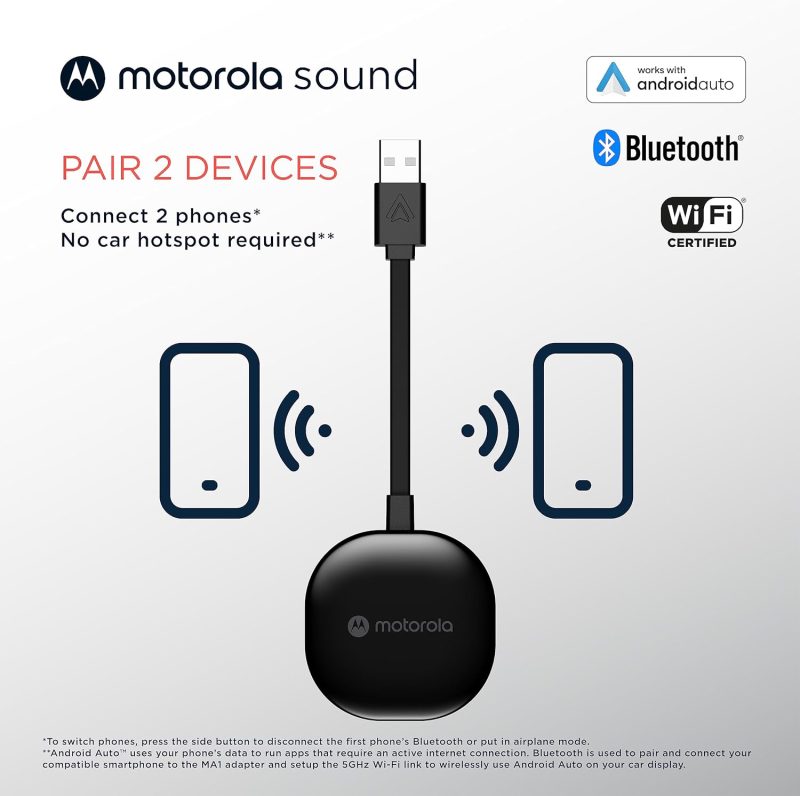
I tried both the ma1 and the AAWireless adapters and noticed that my AAWireless adapter needed an active Bluetooth connection which would not work if I had my watch on me.. On the other hand this model uses Bluetooth but passively and therefore allows me to keep my other devices connected to Bluetooth!
Brett Baker –
Excellent
2017 Chevrolet Silverado Works perfect with my S100 Pro DOOGEE phone.
Gregory A Pondel –
Does not connect
I have tried several times to connect with my 2020 Sierra and despite several reboots and hours researching I can’t get it to work. Also, very limited support available from Motorola
Gerry –
Didn’t work with Ford SYNC 2018
I know this one comes highly rated but I found it not to be compatible with Ford SYNC 2008. I will change my rating if I find a solution.